
From ITSM to ESM: Self-Serve Enterprise Growth
A design-led transformation that enabled frictionless creation of secure cross-department spaces, unlocking new internal service management scale and reducing reliance on services.
For the presentation
Challenge
The challenge was how to communicate change at a scale.
Multiple new roles, pricing changes, and data segregation rules had to be introduced clearly without friction or professional services dependency.
Stakeholders
Global Admins, Space Admins, Space Agents, and End-Users each had unique needs in the transition to self-serve ESM.
Four faces of the future:
Global Admin
Have a holistic administrative view across all spaces:
They are the technical players of the org (usually they are IT managers).
Space Admin
Space Agent
The hands-on users.
End-users
Our customers' users.
That are engaging with the AI chatbot.
The first priority mission was to create a PLG and self-serve experience that provides value and lets everyone have independence and not need to rely on the "Global Admins".
Business Impact
Enable Global Admins to deploy secure departmental spaces and gather usable feedback, validating autonomous scaling of non-IT service management.
At the bottom line: UX that drives adoption and autonomy.
Three Lenses of Evidence
To make an effective solution we research it on 3 axis, Primary, Secondary, and Competitive audit.
On the Primary axis: we met remotely with our users, interviewing them, and understanding their pain points.
On the Secondary axis:
- We collected and analyzed data from Mixpanel about the current way users are filtering
- We collected and analyzed logs from Userflow, understanding how users are learning through our guides (walkthrough flows), and collecting attitudinal insights from CSAT surveys.
- We watched screen recordings and past interviews from Gong.
On the Competitive Audit axis:
- We explored all of our competitors free trials (ServiceNow, FreshService, Monday Service, ManageEngine, Halo, and more)
- We audited every step of the key flows, managed everything in a Figjam file.
- We analyzed each flow, understanding benchmarks and consistencies.

KPIs and Measurements
New non-IT account/customer: How many new accounts each customer creates within the first month.
*not necessarily published.
Non-IT active accounts/customer: How many new non-IT accounts were published and received at least 1 ticket.
Weekly tickets resolved/account: How many tickets were resolved in a weekly period per non-IT account.
Activation speed: The time from adding a new space (as draft) to the first ticket creation.
Self-serve Rate: % of new non-IT spaces complete setup (published) without SysAid assistance.
Success Criteria by the end of the beta (April 30th)
10 customers fully onboarded.
Up to 1 non-IT account.
Up to 1 non-IT account published to end-users (customers' users).
At least 1 non-IT agent logs in and resolves a ticket.
At least 3 weekly tickets resolved in the new space.
Multi-Brand Design System Requirement
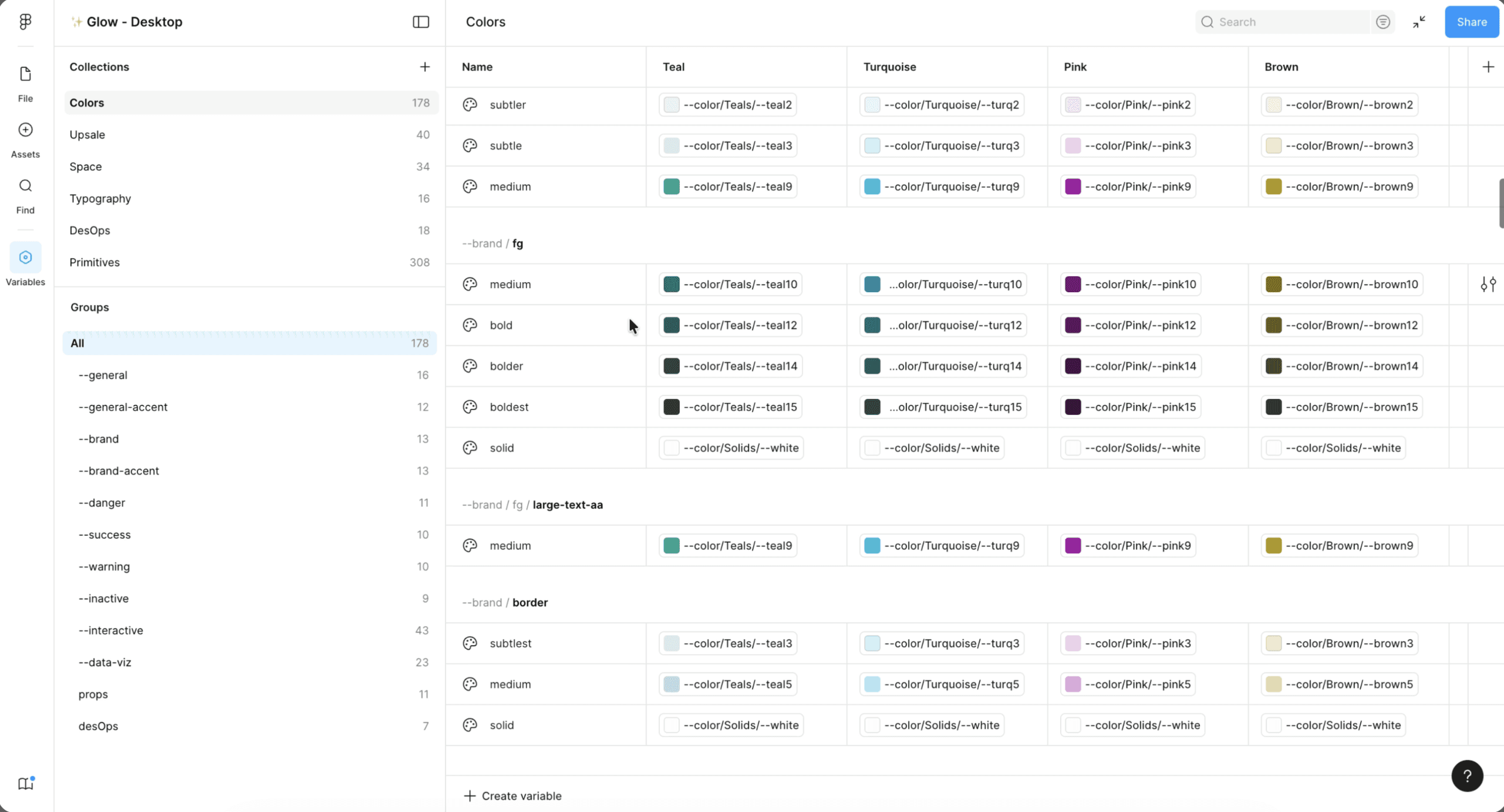
Me, as the design system lead, I had the task to transform our single-brand design system into multi-branded.
You can read more here: Multi brand design system & UX infra leadership case study.
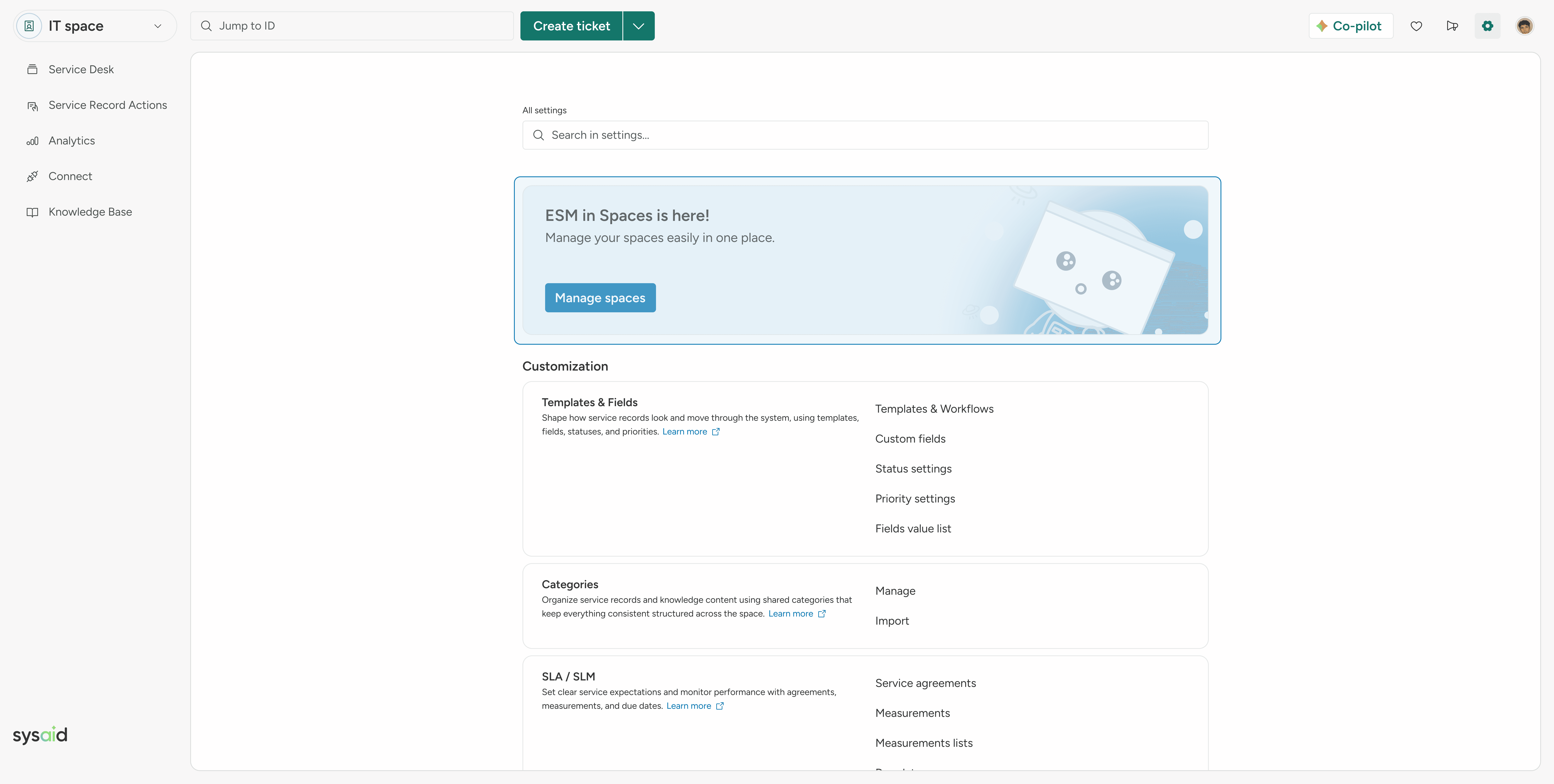
Introducing Global Setting Layer
A global settings layer made enterprise settings instantly recognizable and manageable.
We colored the global layer in blue. Blue is our brand-accent color family which is the perfect one to use agnostically to the brand.
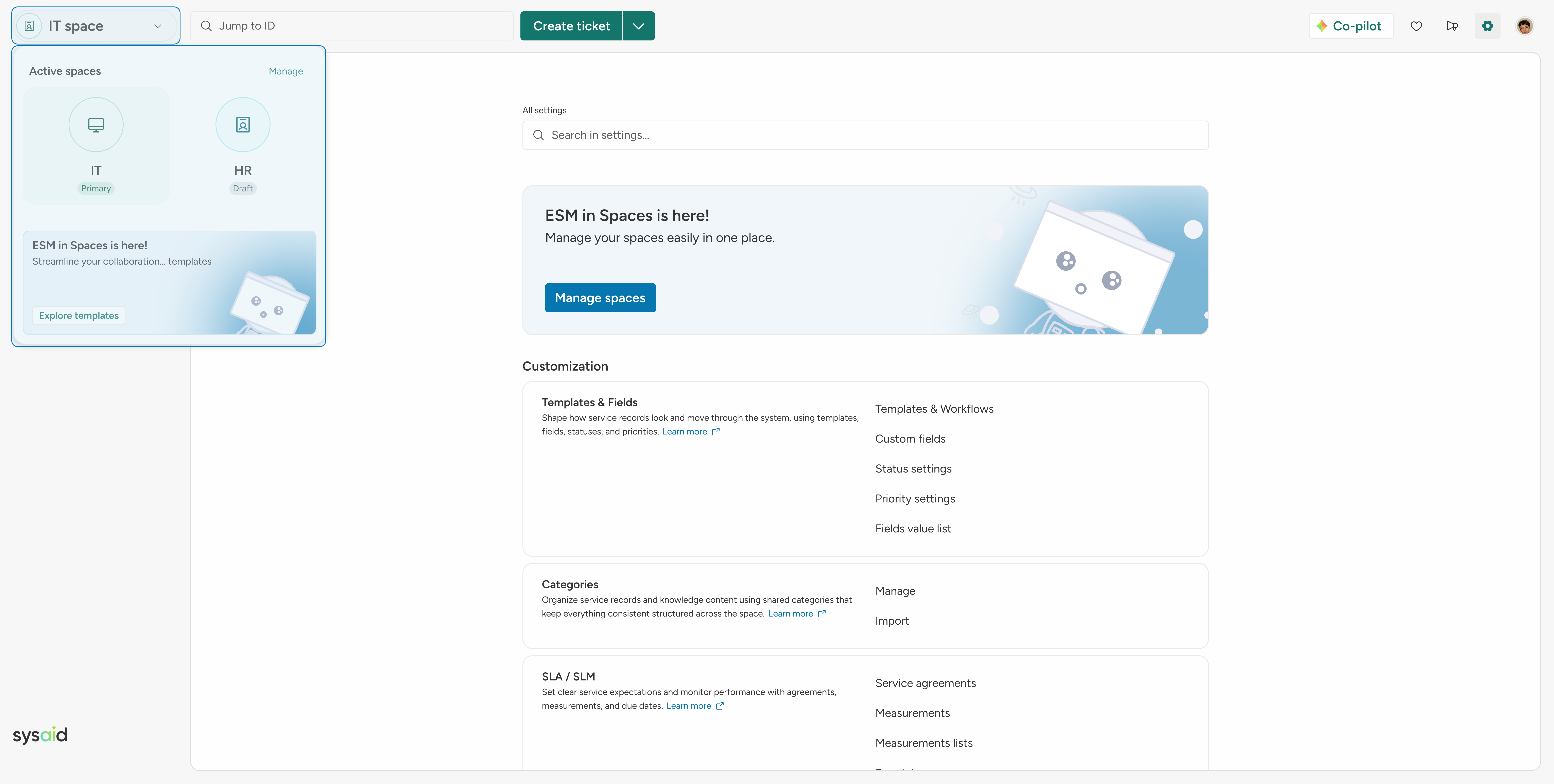
One Click to All Spaces
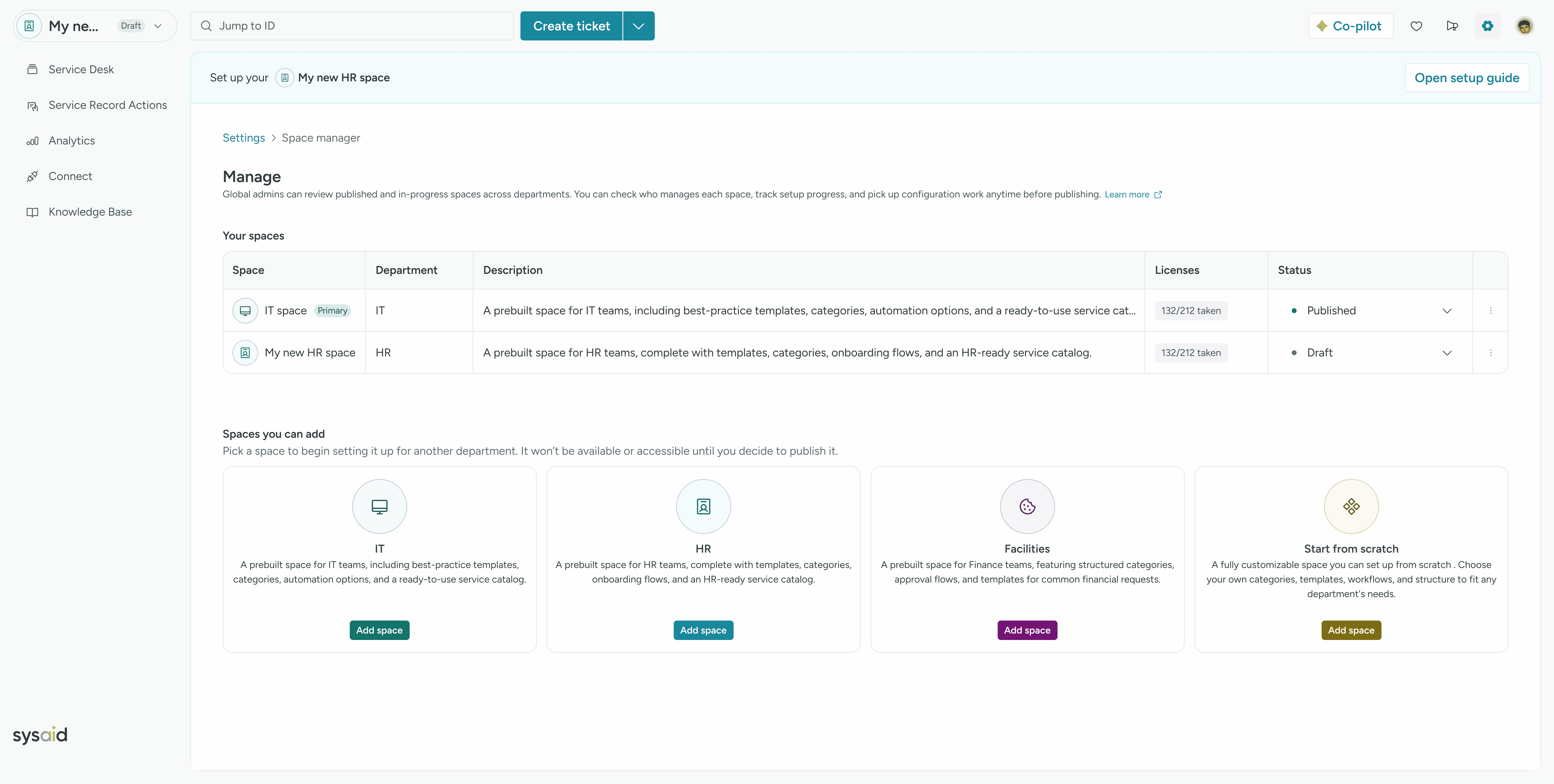
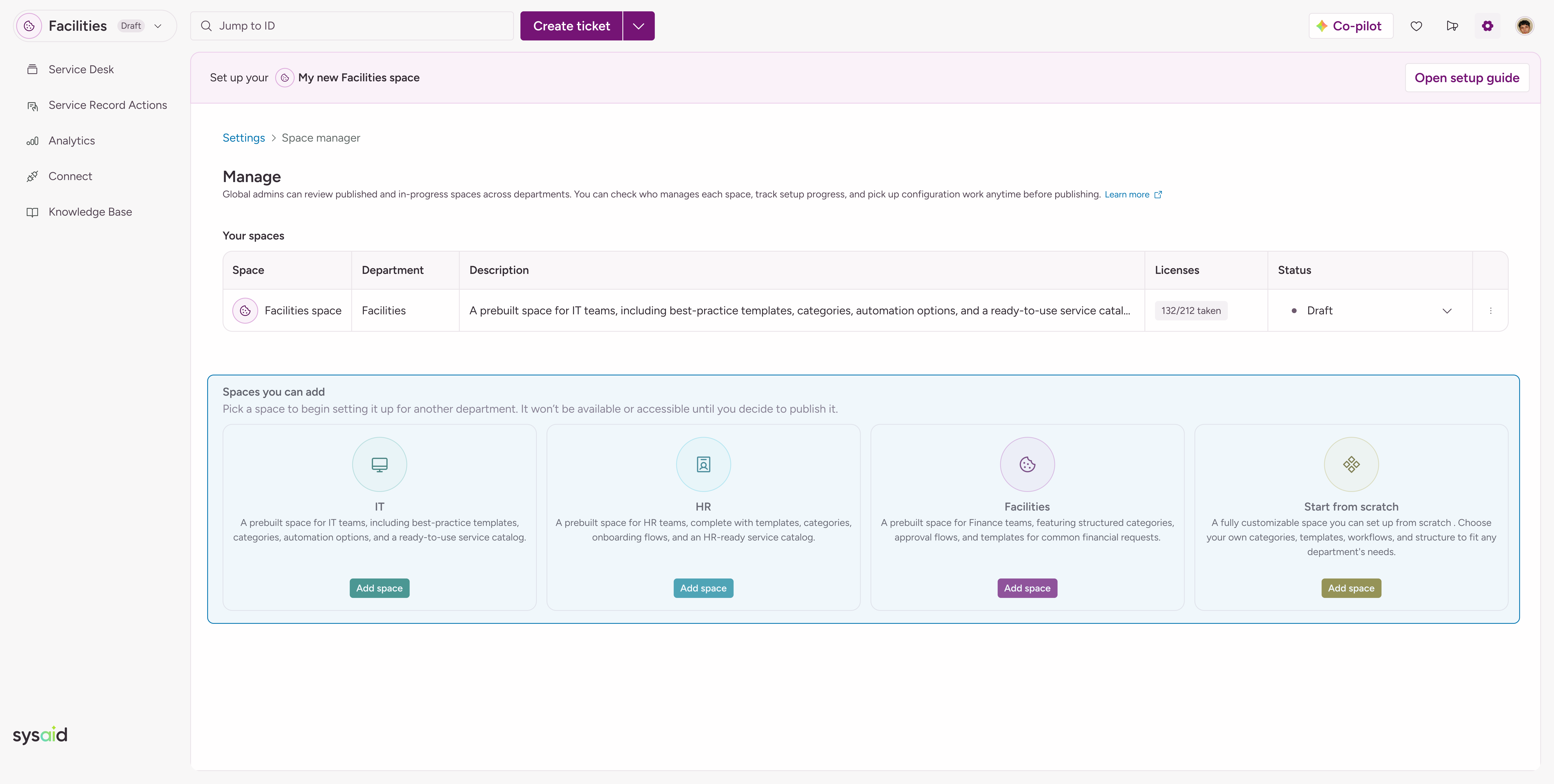
Admins can navigate and create departmental spaces efficiently through a unified launcher trigger.
Safe Setup, No Surprises
Draft badges and ESM banners guide admins through setup - making it clear and engaging before publishing.
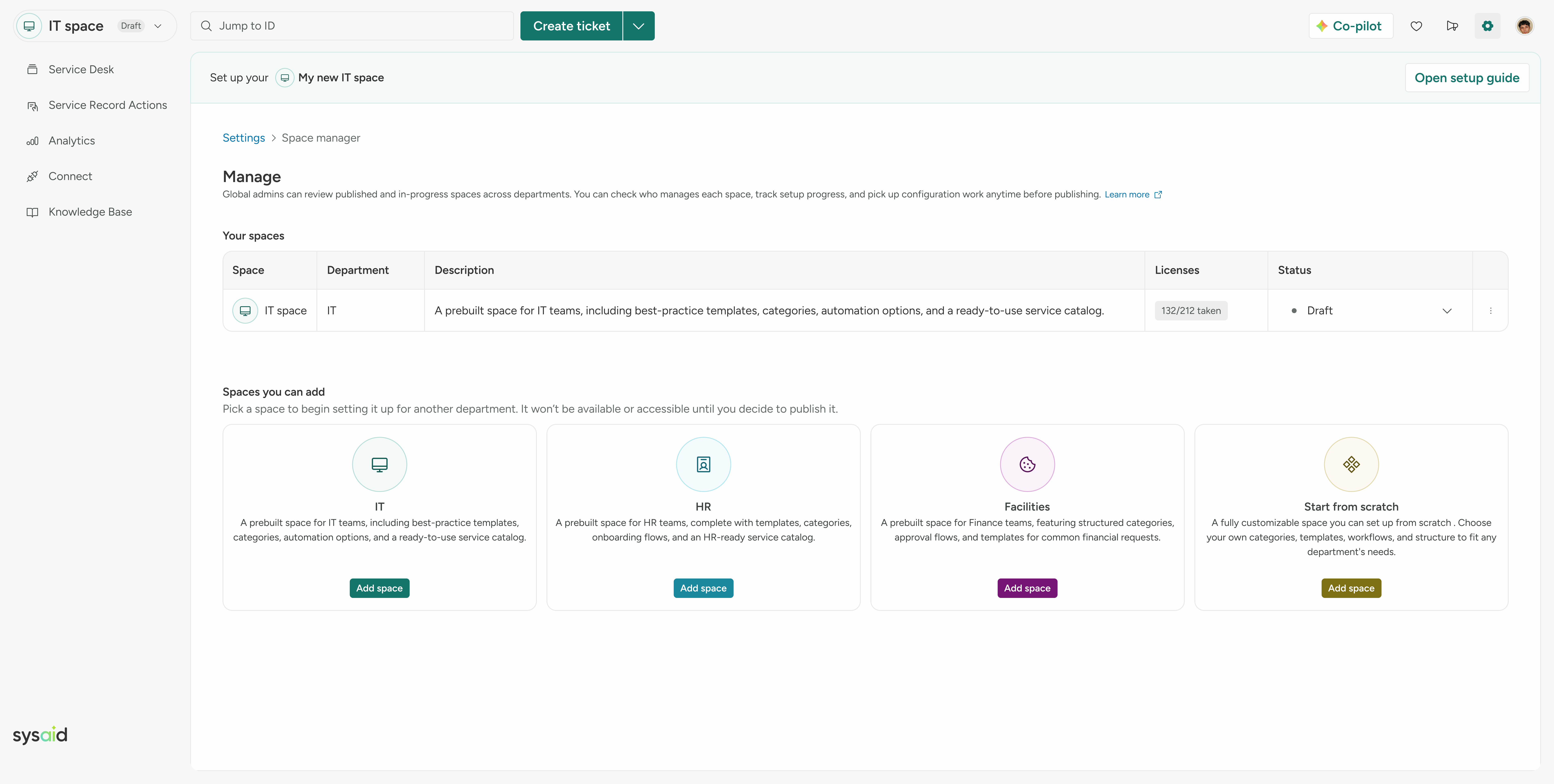
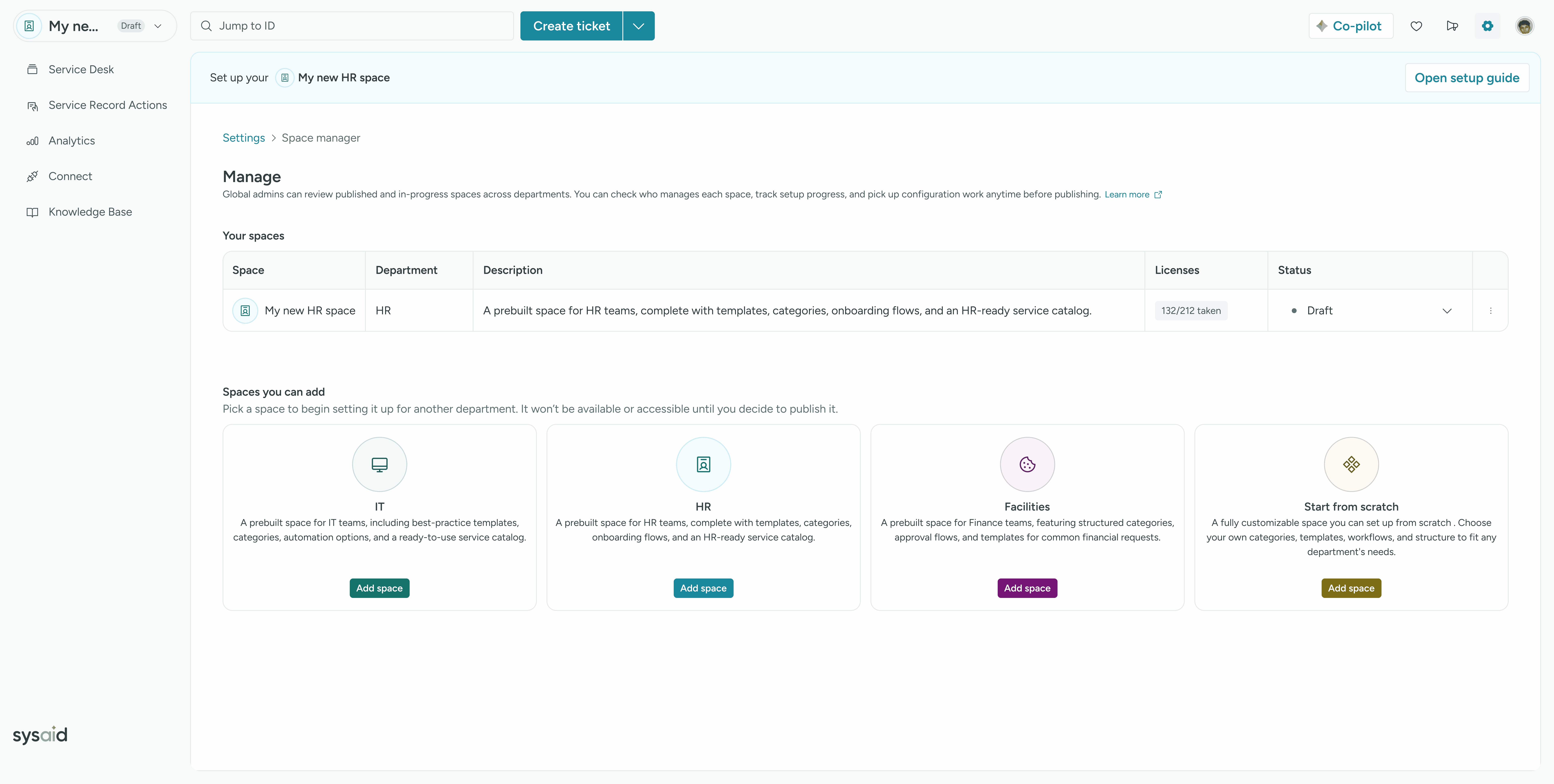
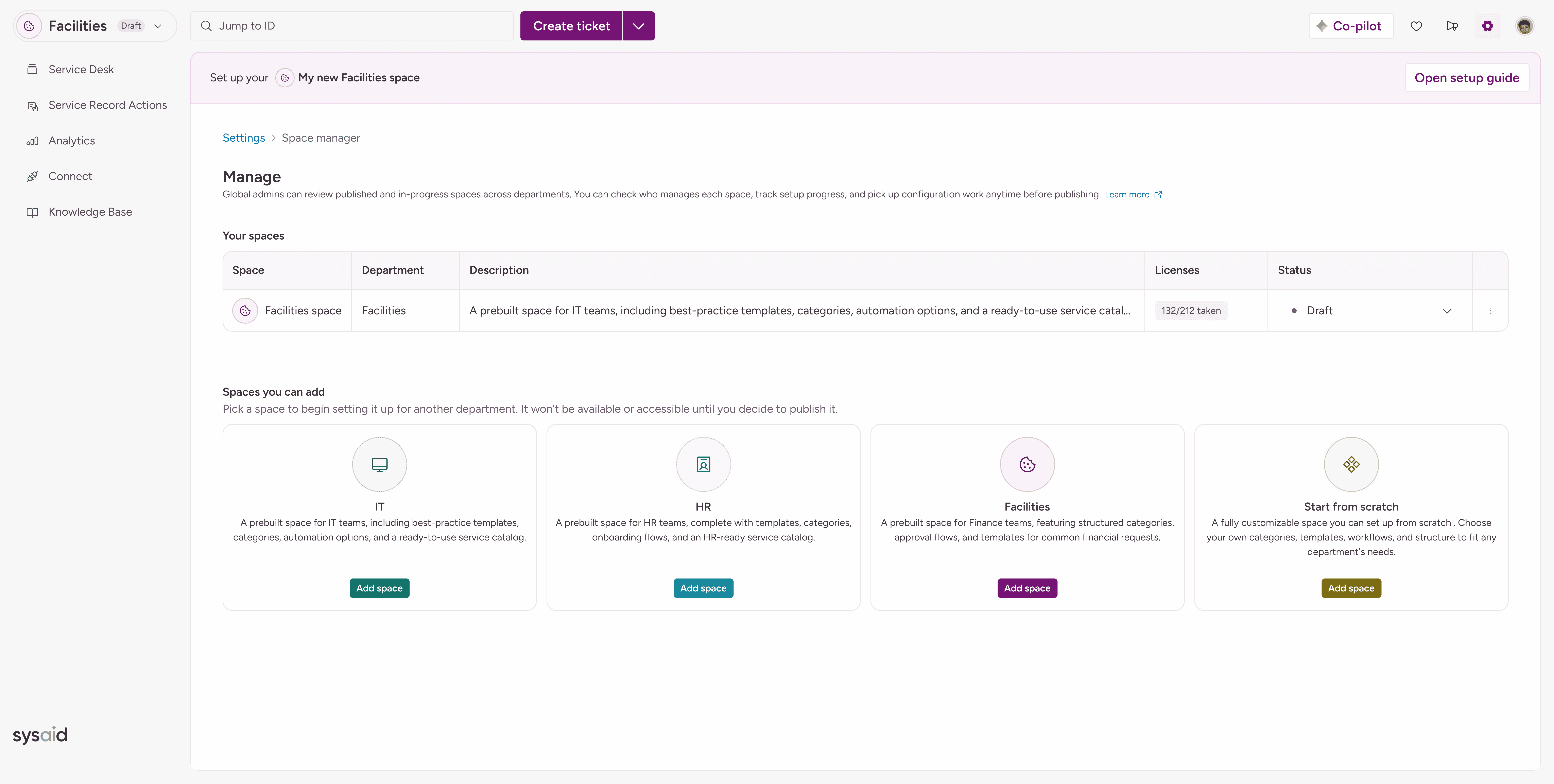
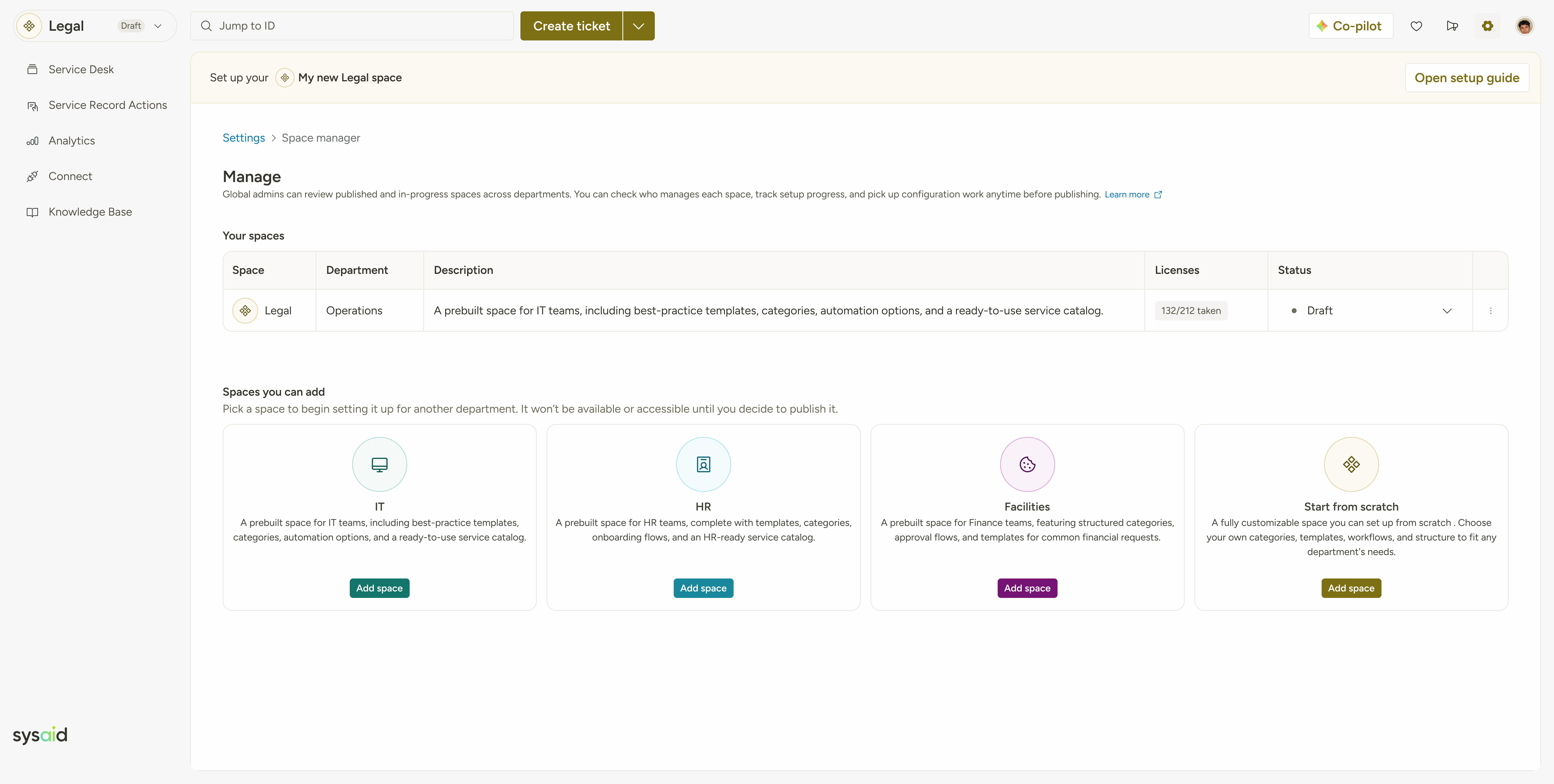
Playful Meets Purposeful
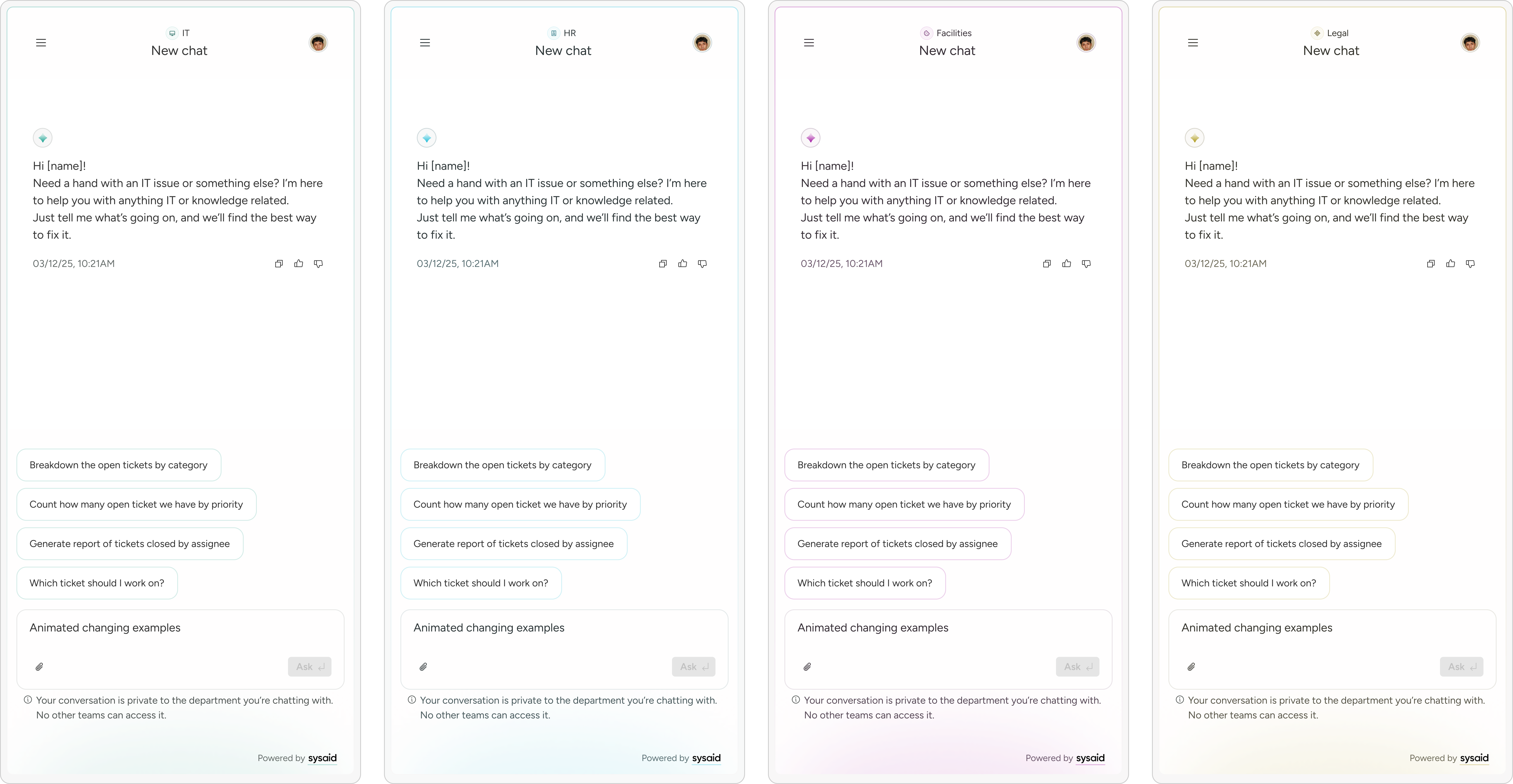
Colored, white-labeled spaces entice users to create more departmental workflows at scale.
Connect Expectations to Reality
Visual preview showcasing new space capabilities before creating it - for clarity and trust.
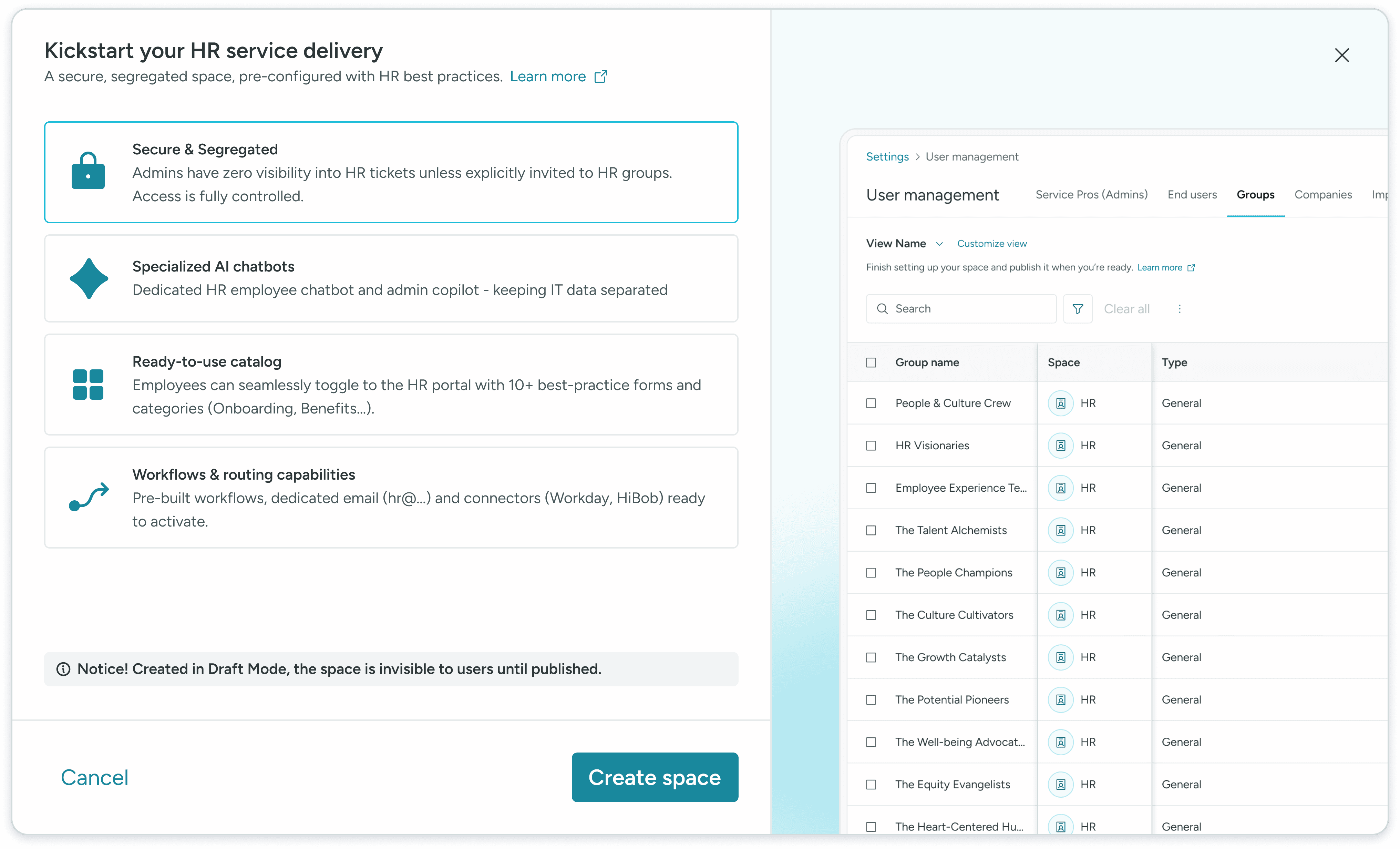
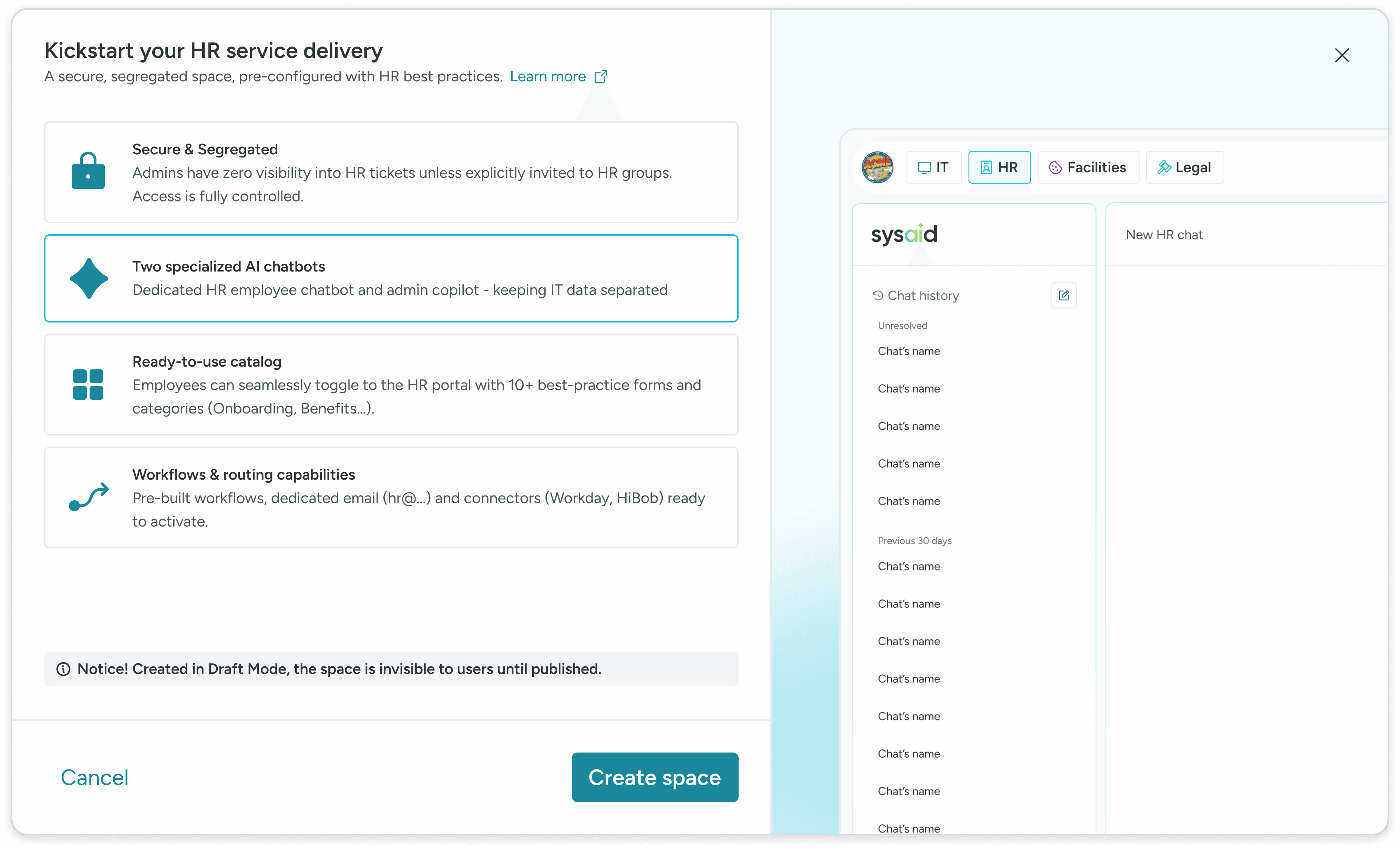
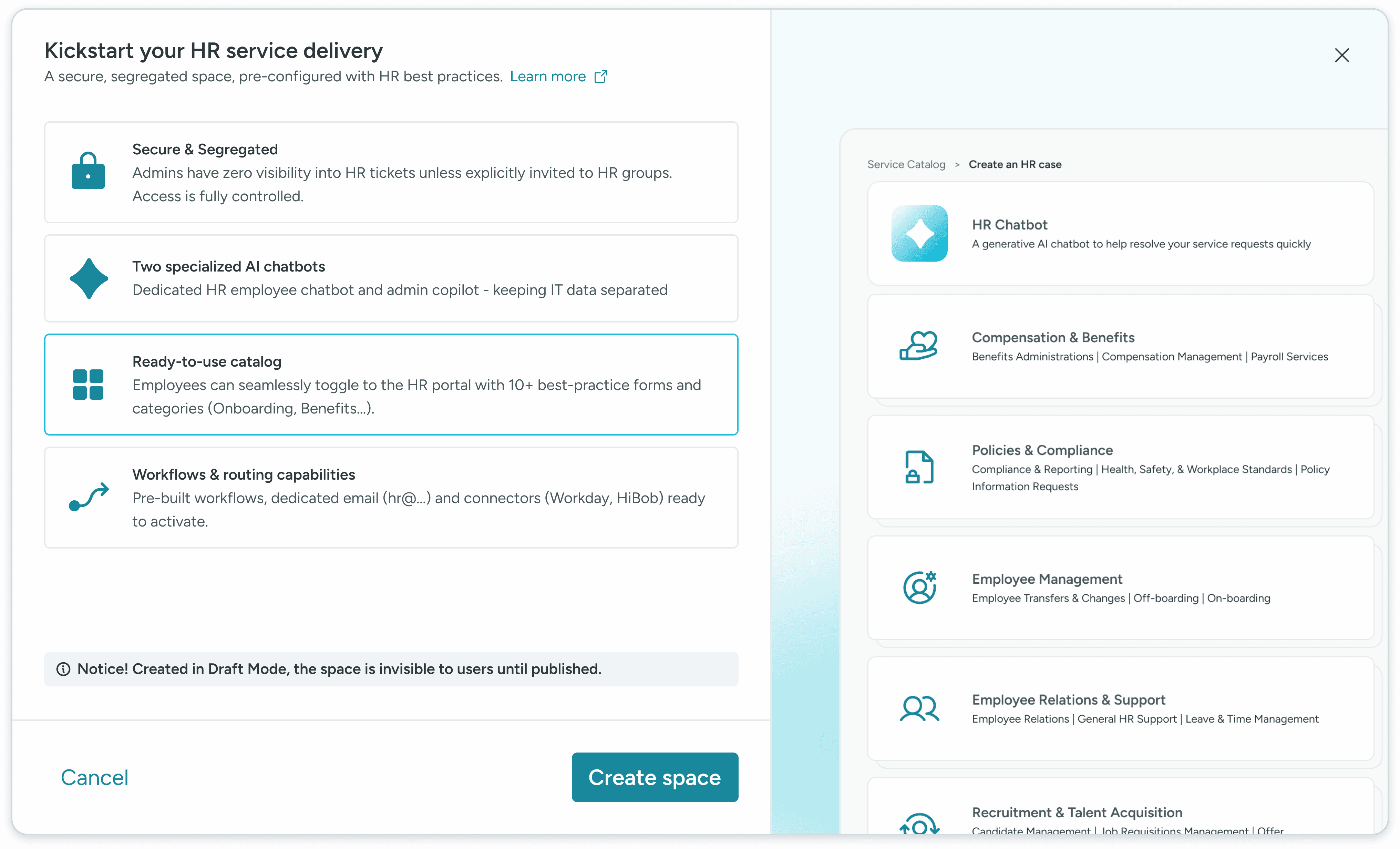
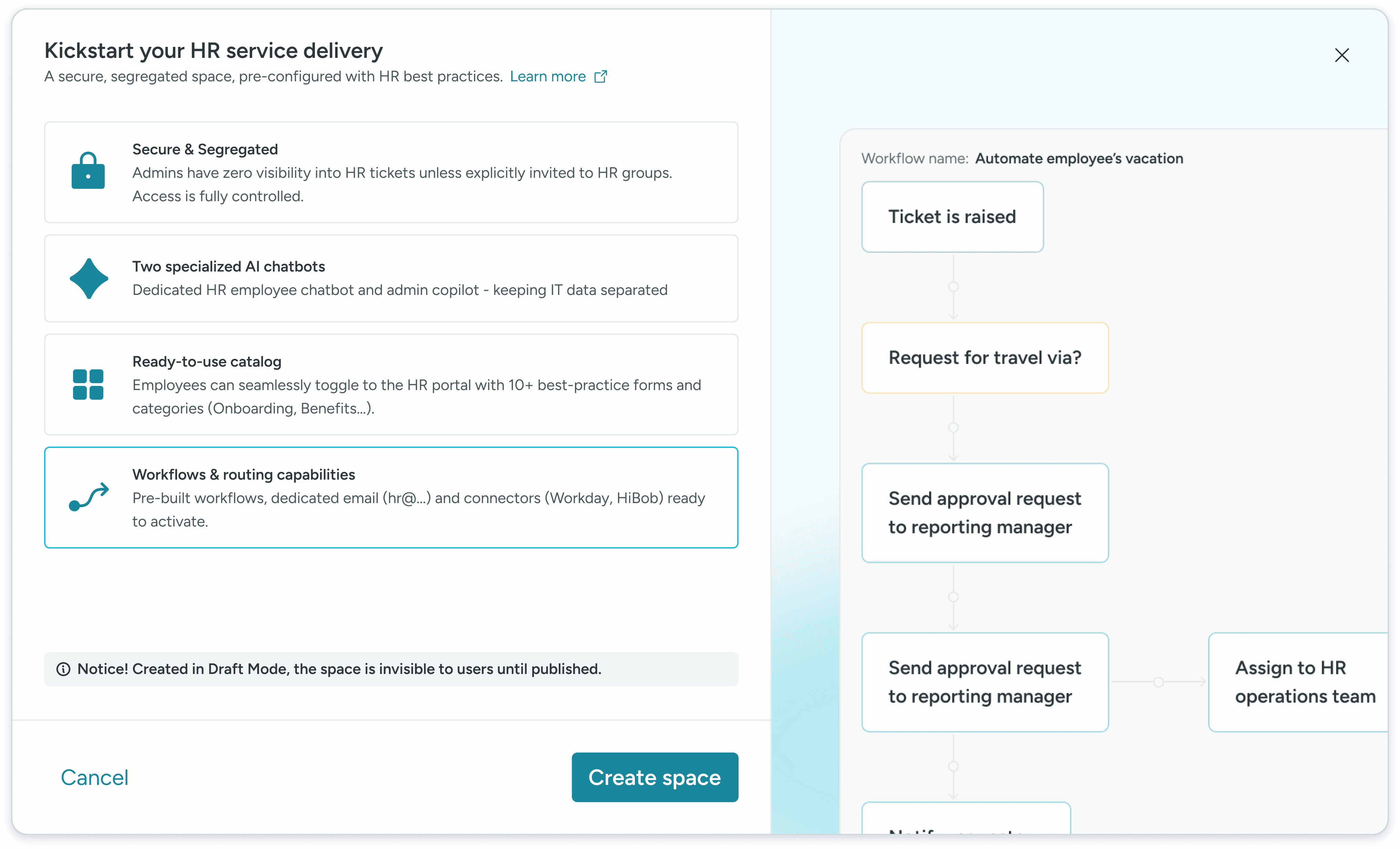
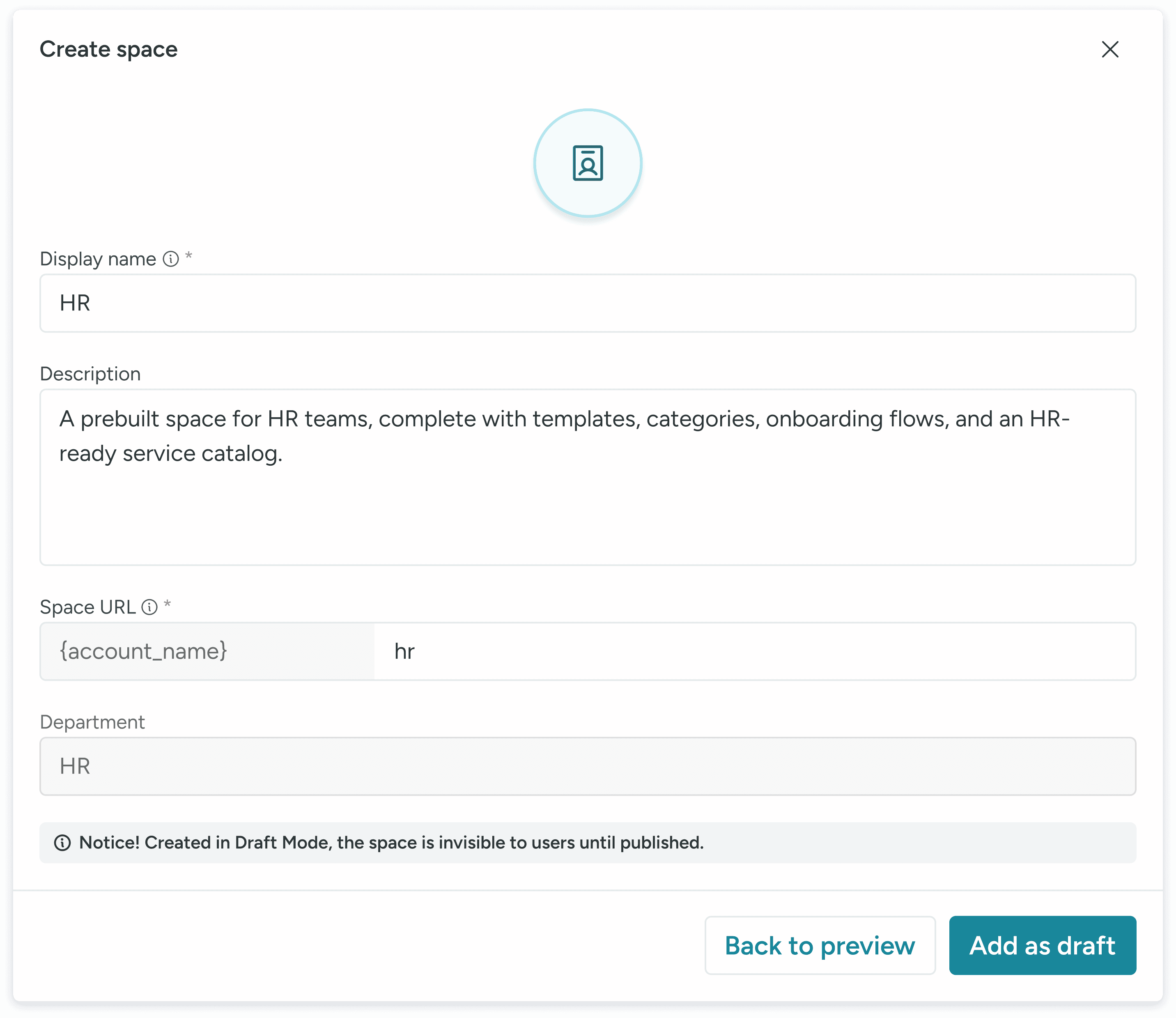
A/B Test on the visual language
I made an A/B testing on two types of visuals.
Concept 1 - Simple and marketing oriented wit stepper
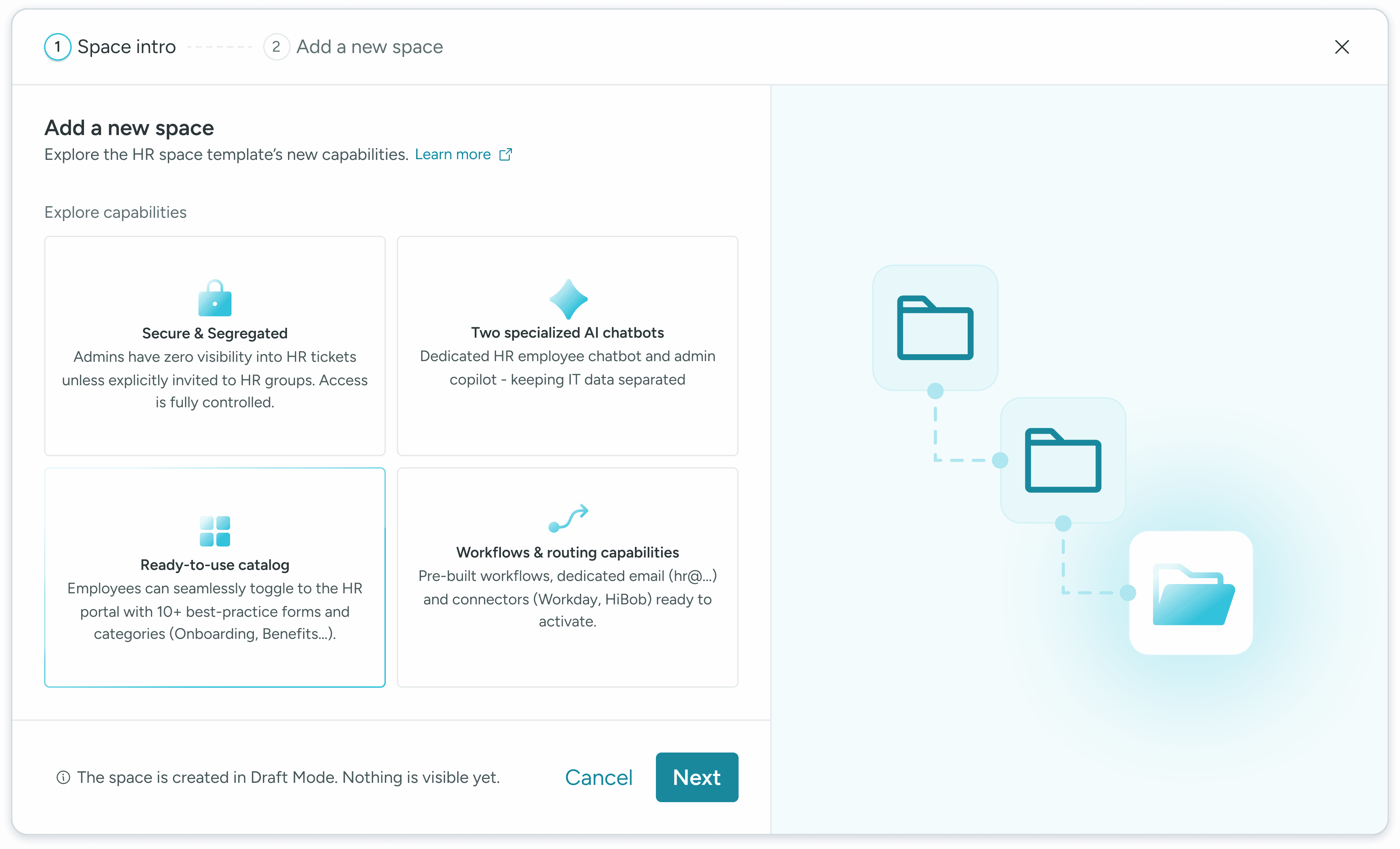
Concept 2 - Product oriented without stepper
This version was better as it softer, more direct, and more readable.
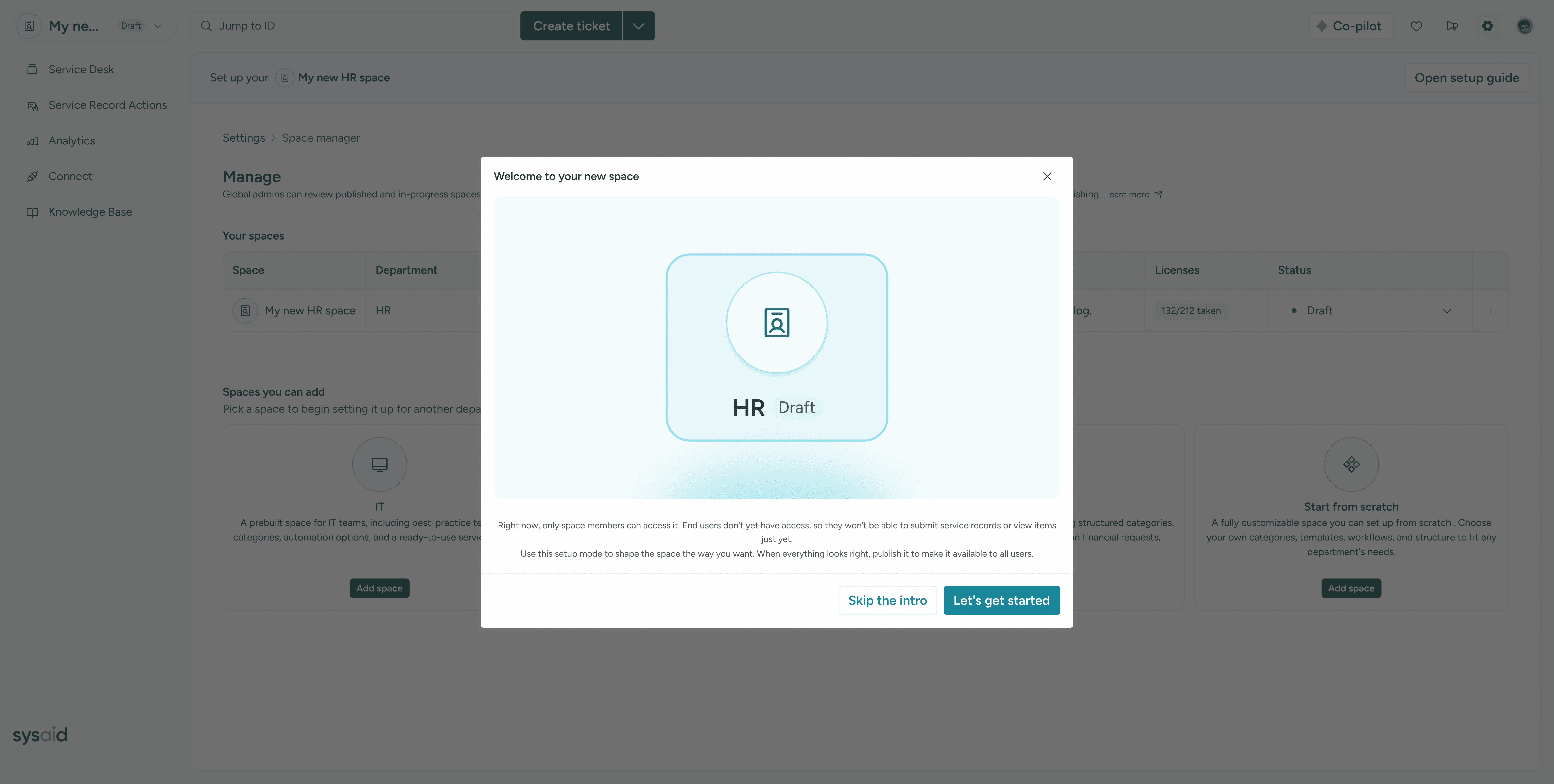
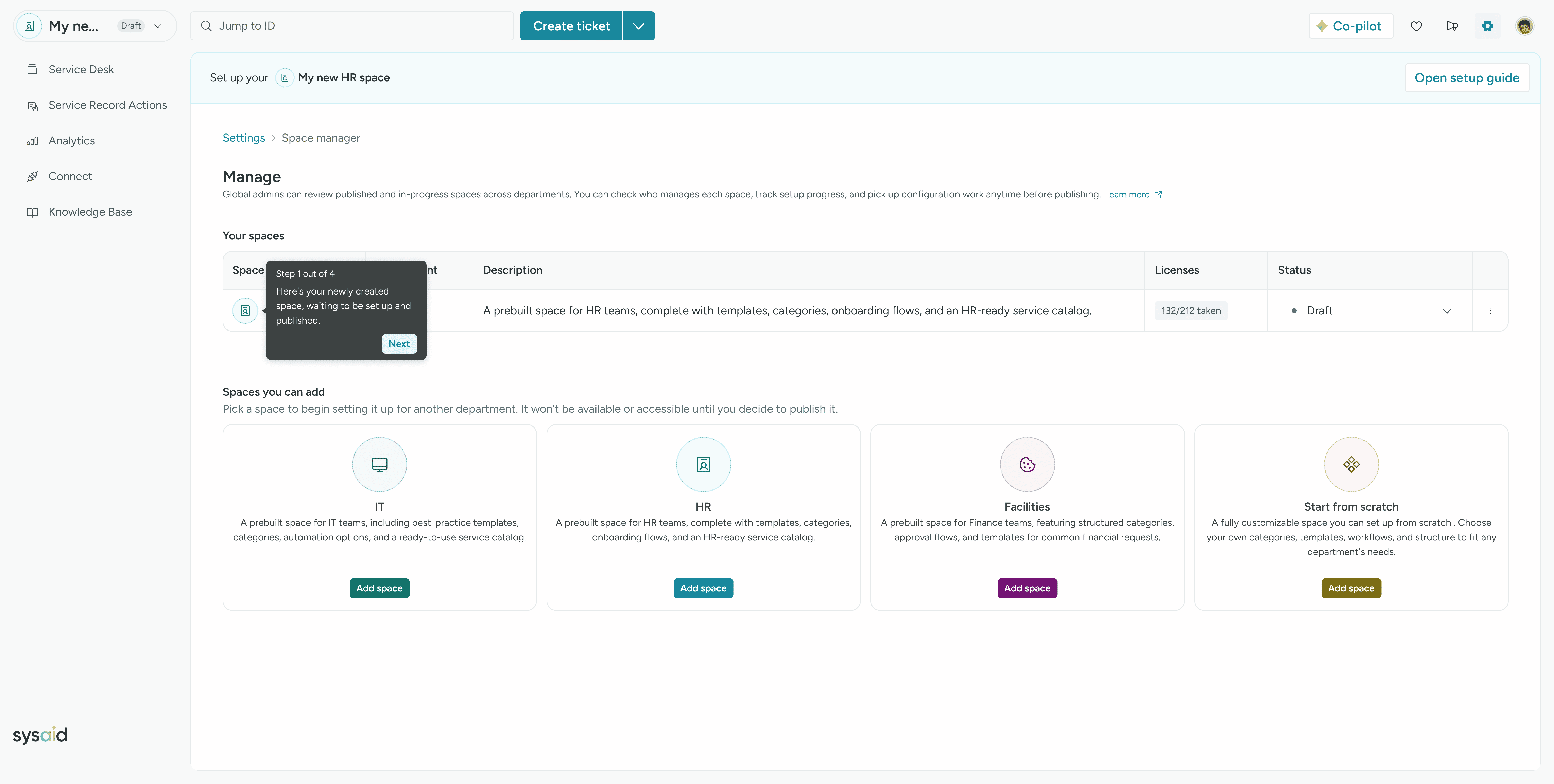
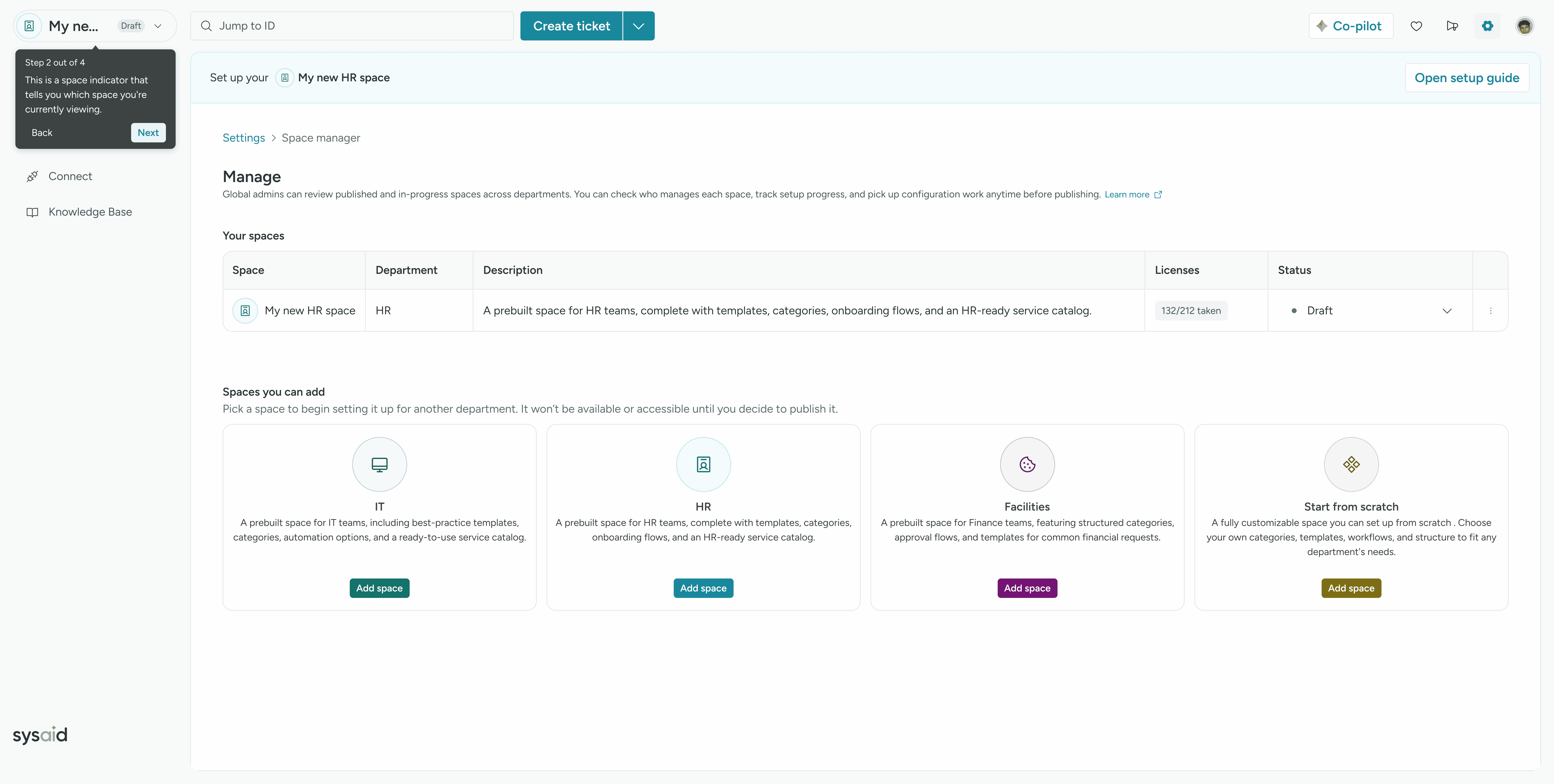
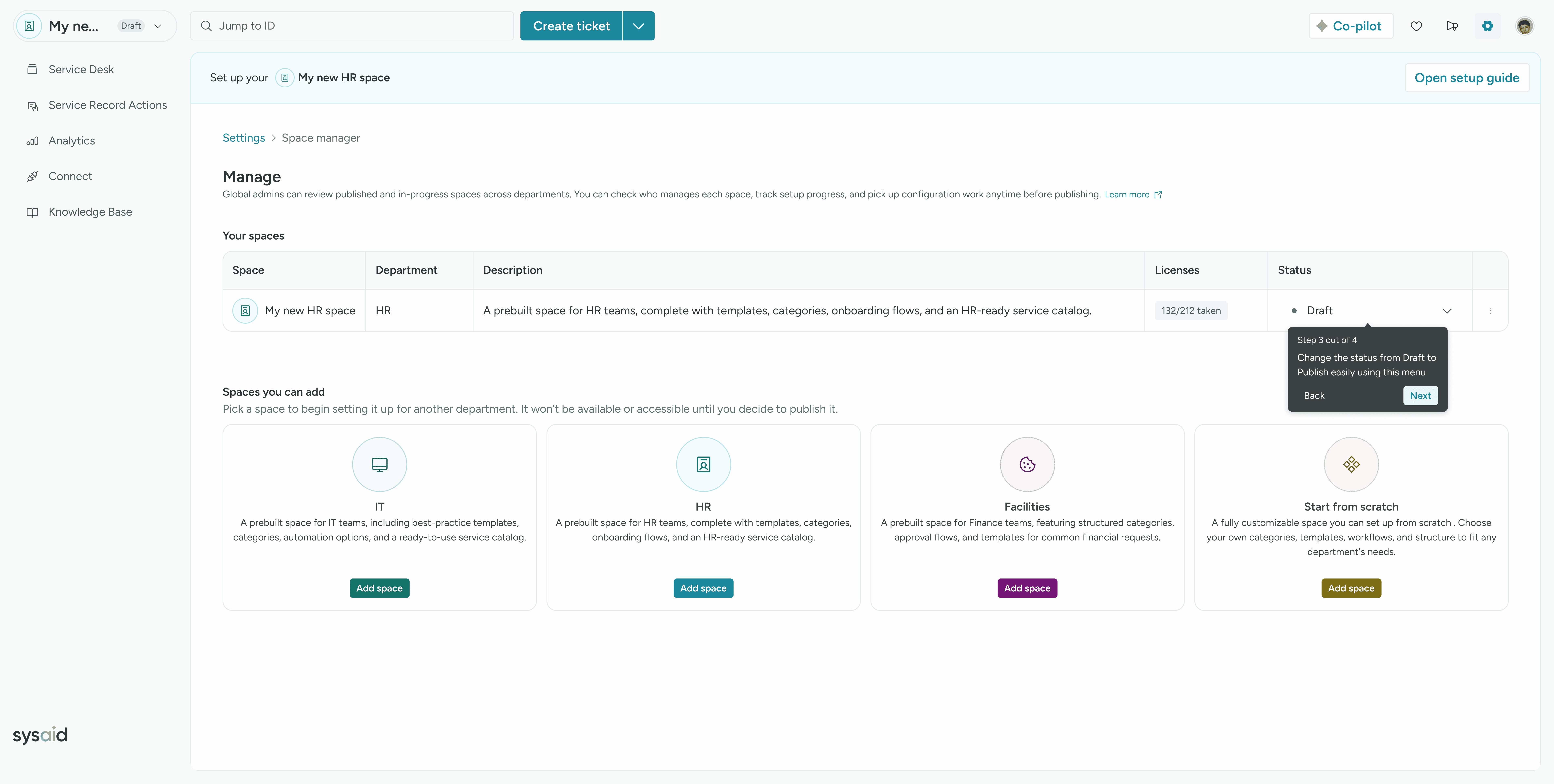
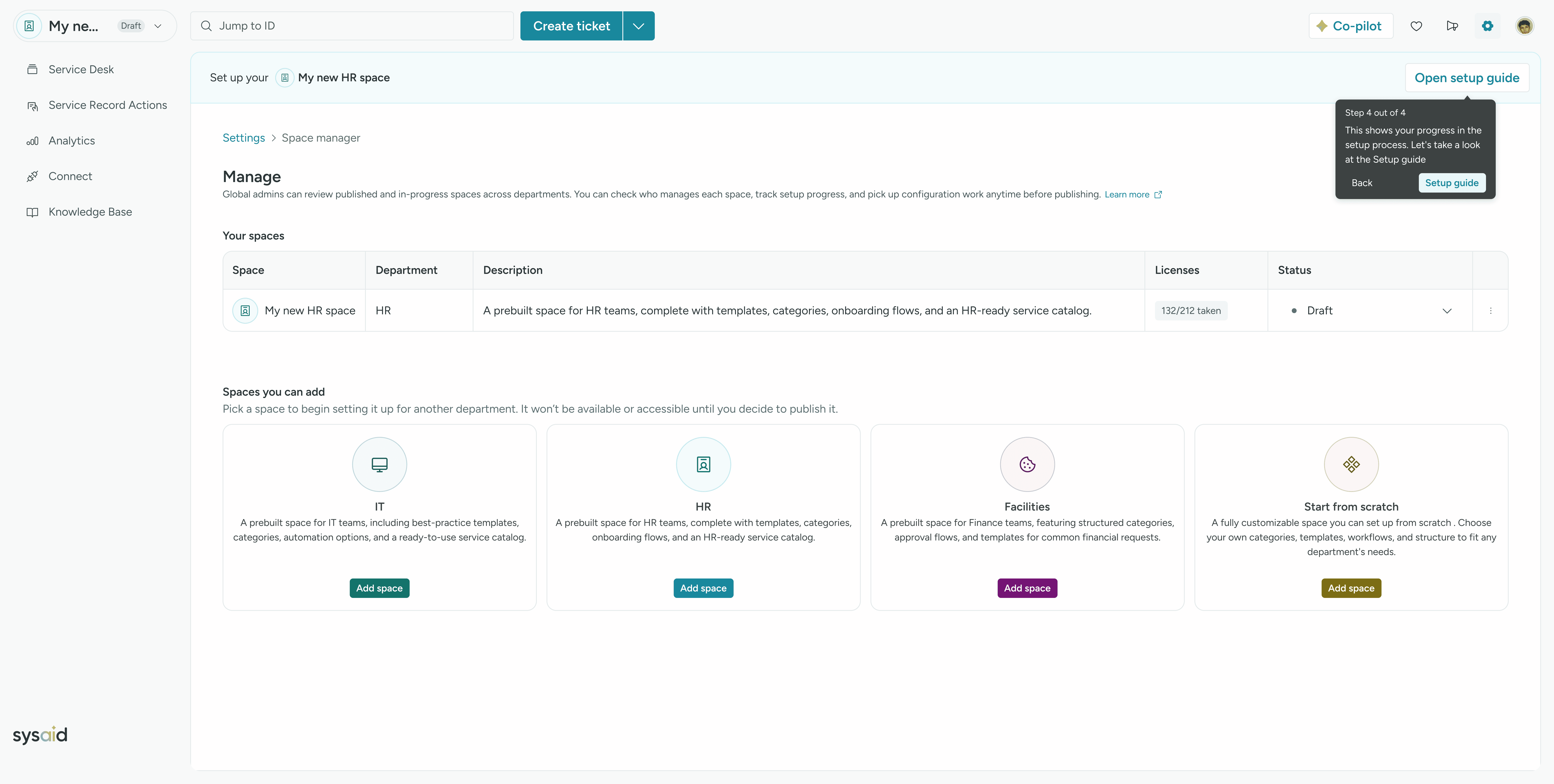
Guided Entry for Confidence
A dynamic welcome guide using Userflow reduces confusion and accelerates first-time value realization.
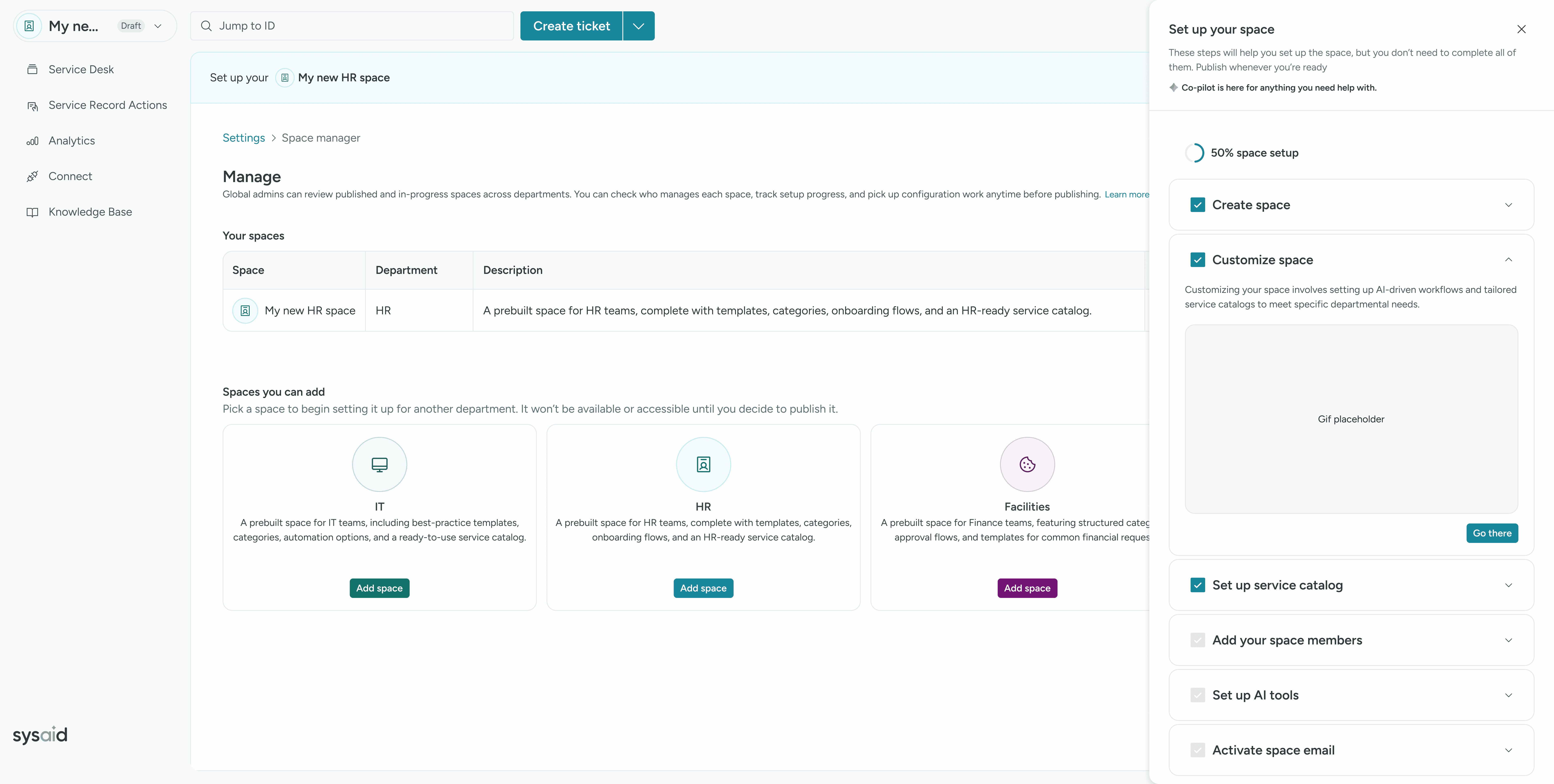
Gamified Setup for Completion
Animated steps, CTAs, and GIFs make setup intuitive - encouraging progression and early activation.
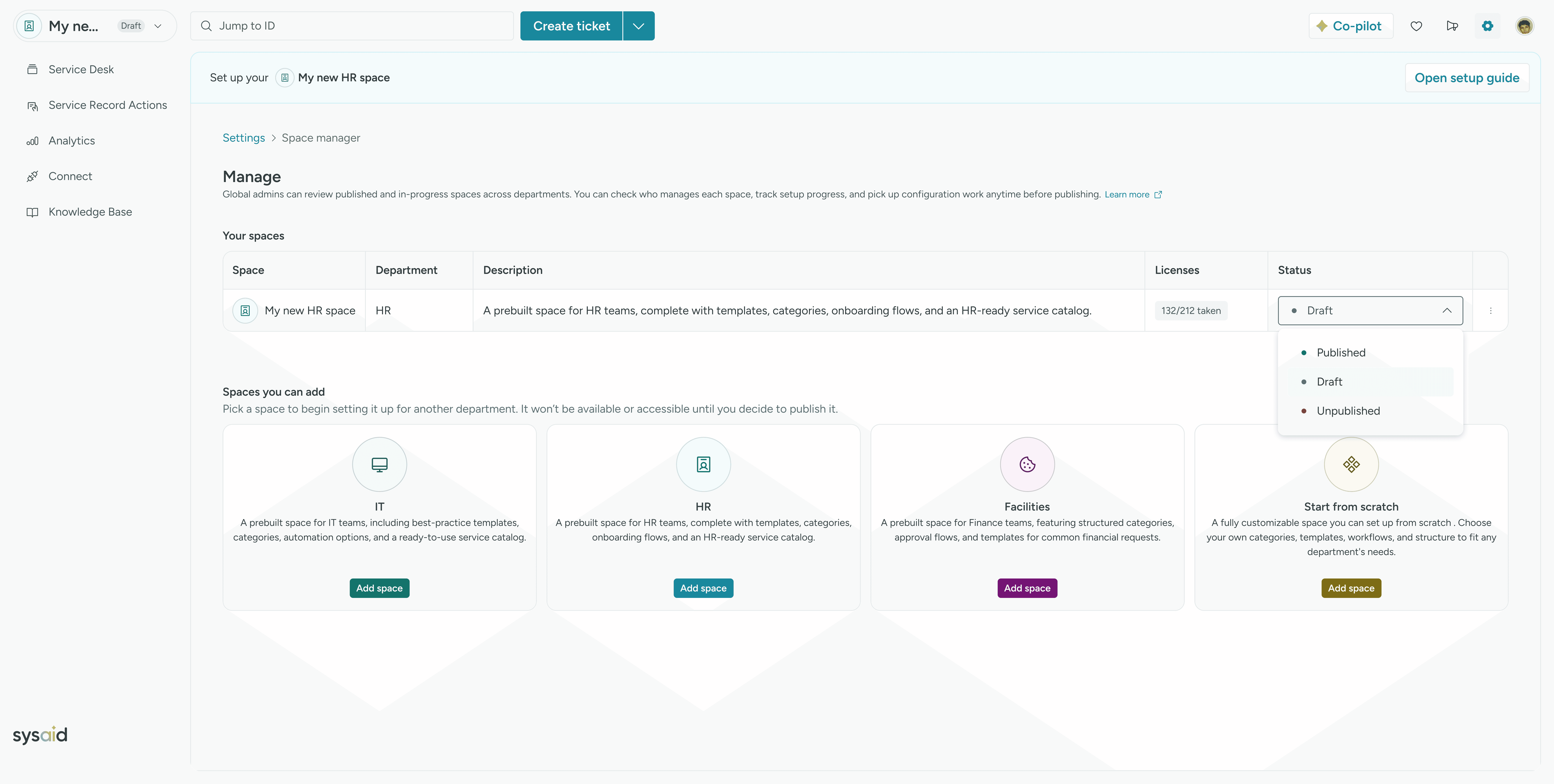
Publish With Confidence
Secure confirmation modal emphasizes safety and risk awareness before making a space live.
Trust Through Transparency
Clarifying data segregation and delivering enjoyable user flows boosts engagement and trust.

Responsive - Real Value Anywhere
Mobile AI chatbot support ensures the ESM experience stays consistent and effective on the go.