

How I Helped Support Support End-Users
As part of my work in Paragon, I owned an internal product for devs, QA, NOC (Support tier 1), TAM (Support tier 2), ProdOps (Support tier 3). This project took me 8 months of research (mixed methods), design, and testing.
Challenge
The challenge was to take an open-source code product, understand the problems (there were many of them), prevent developers from our full stack teams from adding new problems, and keep the stakeholders in the loop.
Stakeholders
The stakeholders divided into two categories:
Production
Devs, QAs, those people coding the abilities and testing its quality.

Consumption
NOC (T1), TAM (T2), and ProdOps (T3), those people consume the data from the Console and performing action through it.
Down below, I'm going to present the most important and most used flow in the Console product.
Business Impact
The reason we approached this project was because some support users had left the company, as the company wasn't provide them an effective way to take care of their customers.
At the early stage of this usage, we got some metrics about 40% reduced time of marking a ticket as solved.
The feedbacks were amazing of how we simplified their work life as we also implemented other products like; Jira and Confluence. To make automations for common flows. The adoption is here!
End user = Support
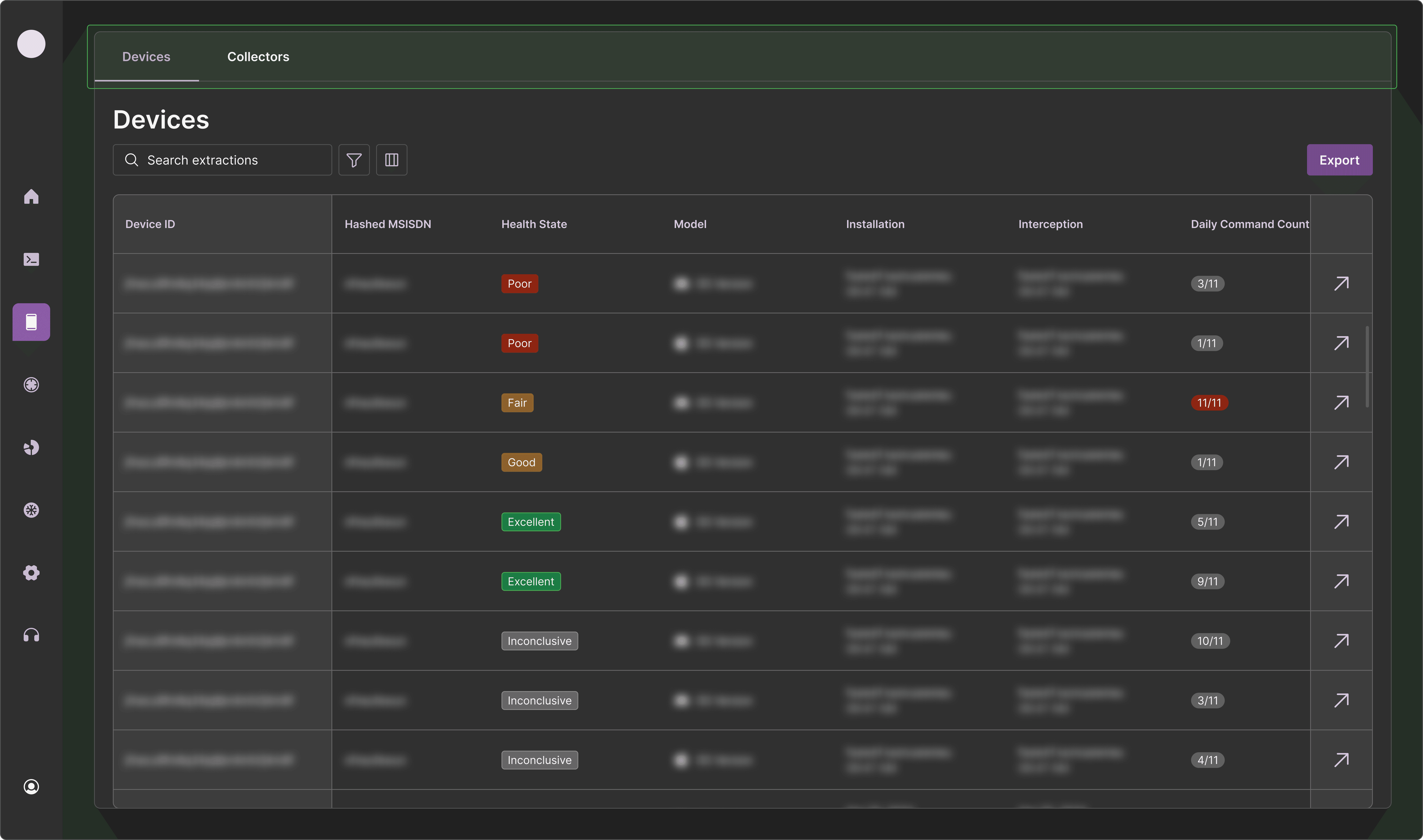
Devices page
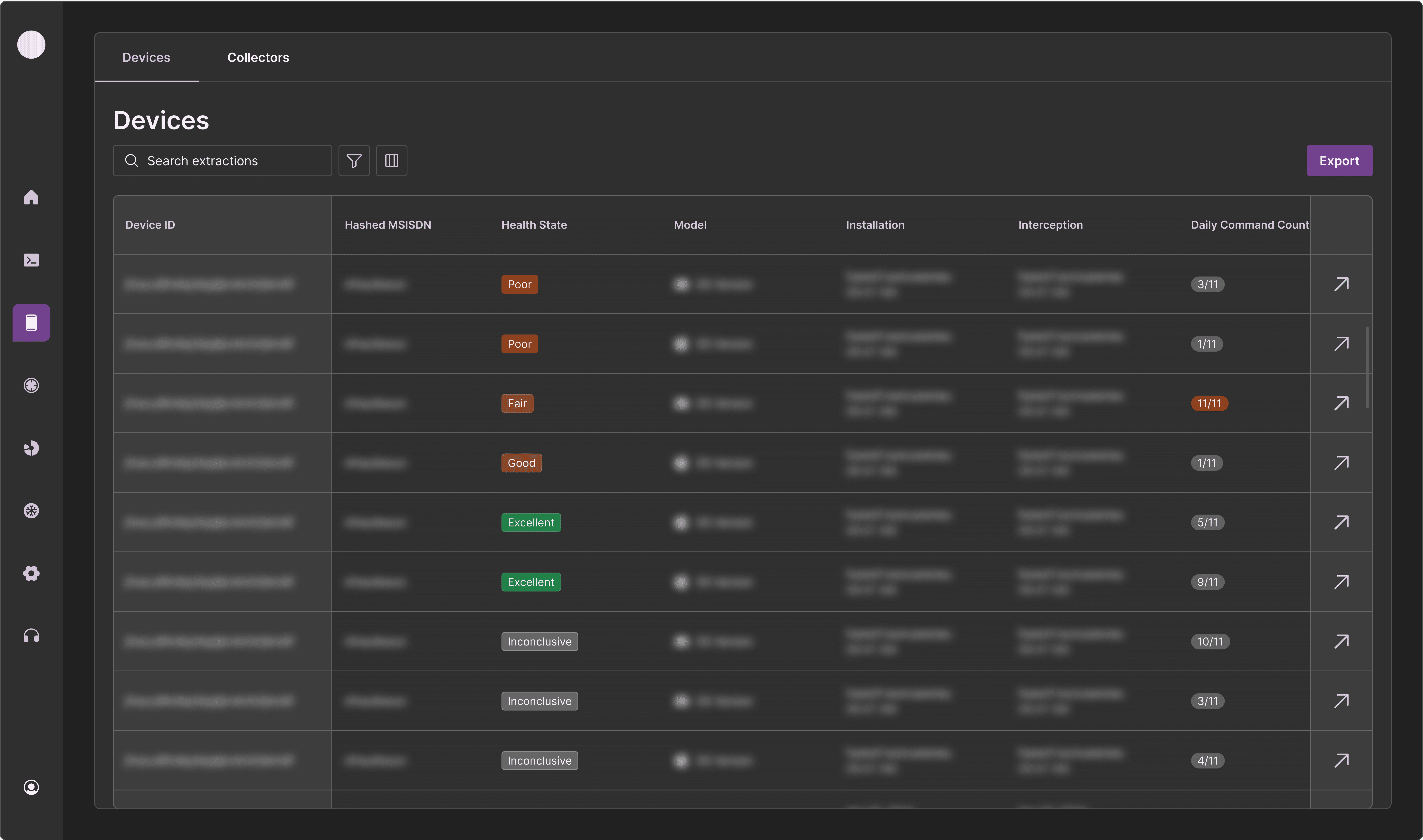
This page is for reviewing every single device of the end-users by the support.
My thoughts were to divide the information into two segments, the initial, which is what you see in this frame. It presents what the support need for ongoing maintenance.
On top of the initial view, I decided to apply a default sort on the filter so the devices with "Poor" health state always located on the top of the table, of course the user can decided differently and re-sort it, filter, and so on.
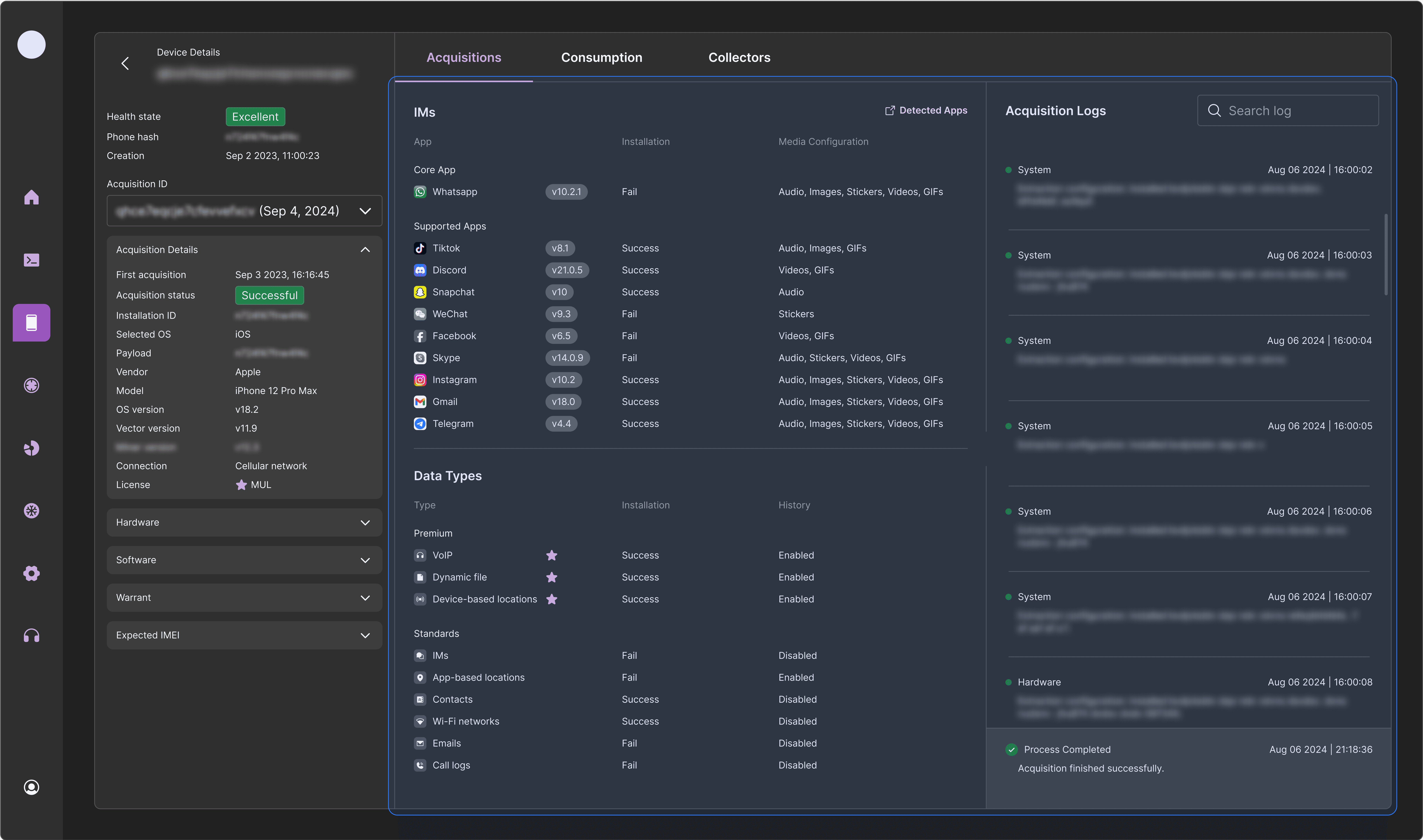
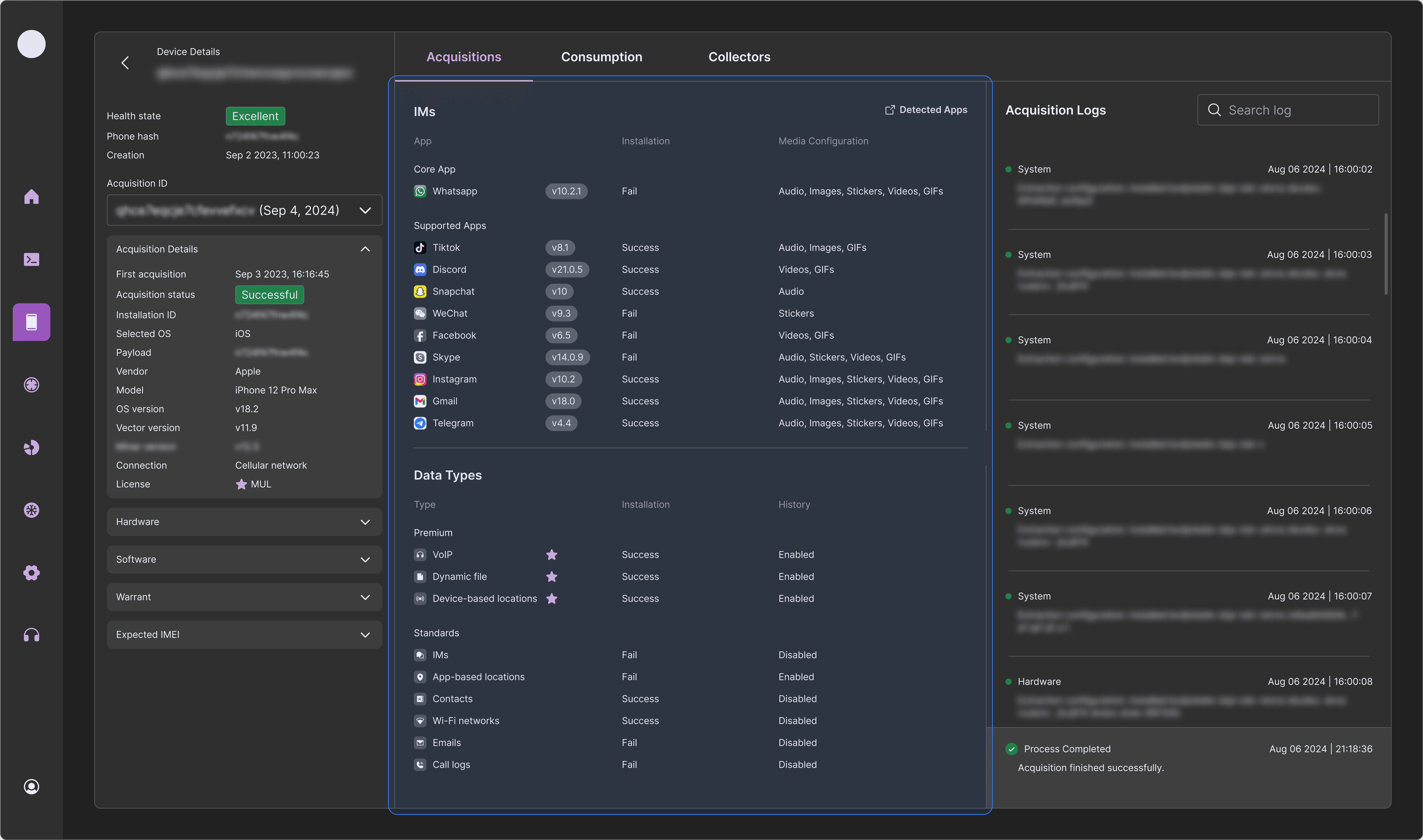
Deep view — Acquisitions tab
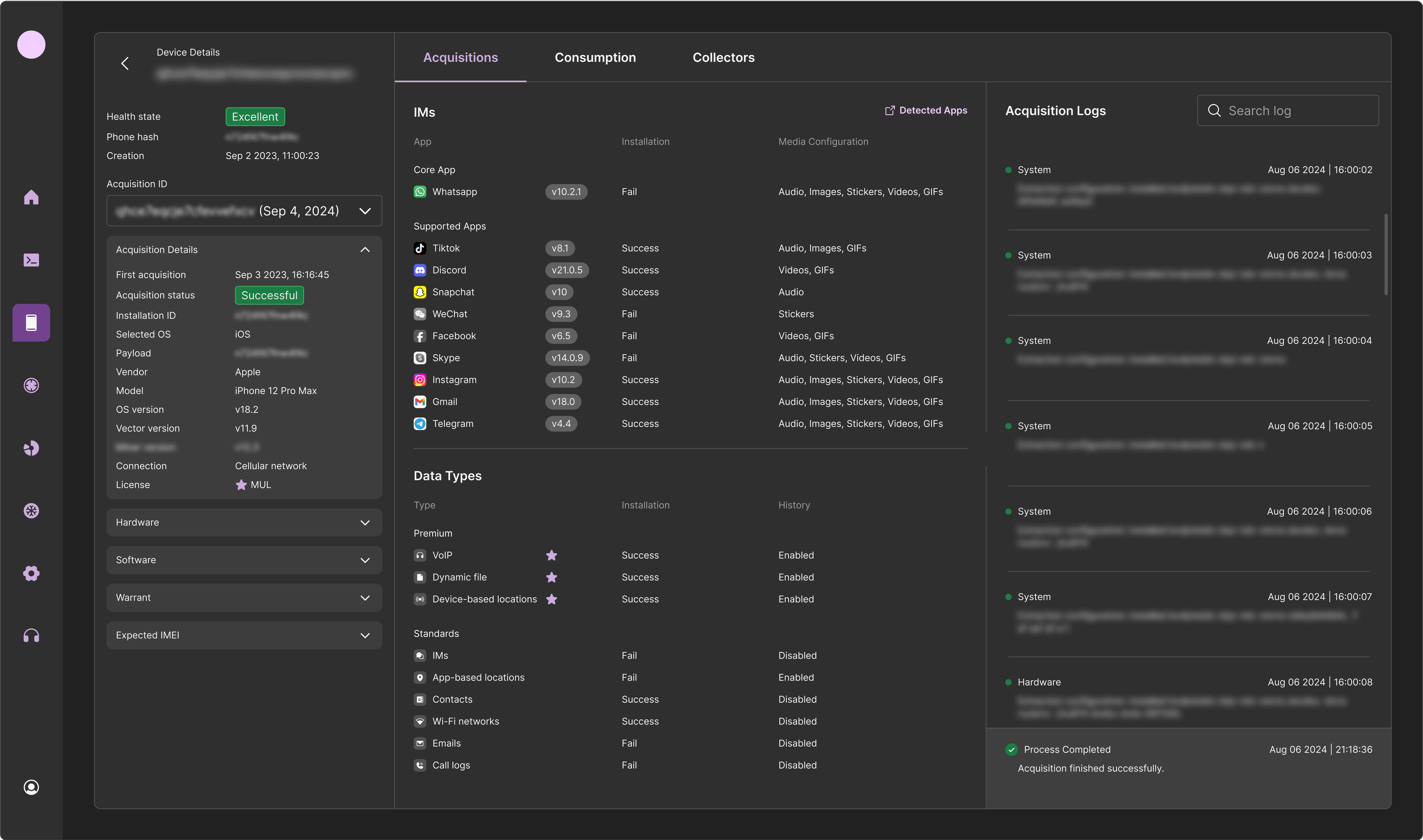
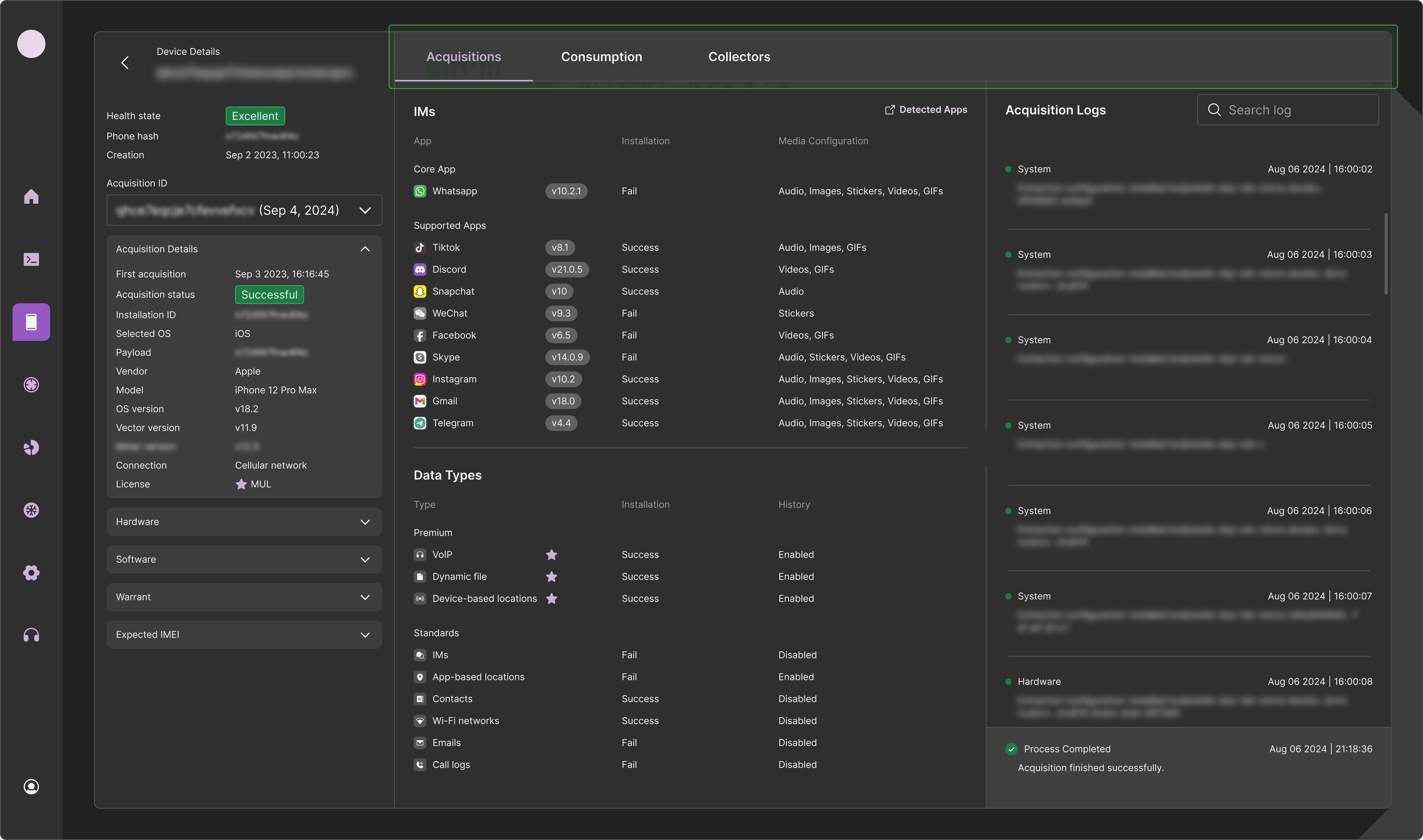
If the case of the end-user requires more deeper troubleshooting and investigation, by click on the arrow will redirect the support into what we call "Deep View".
It contains three tabs, each represent different aspect of the device.
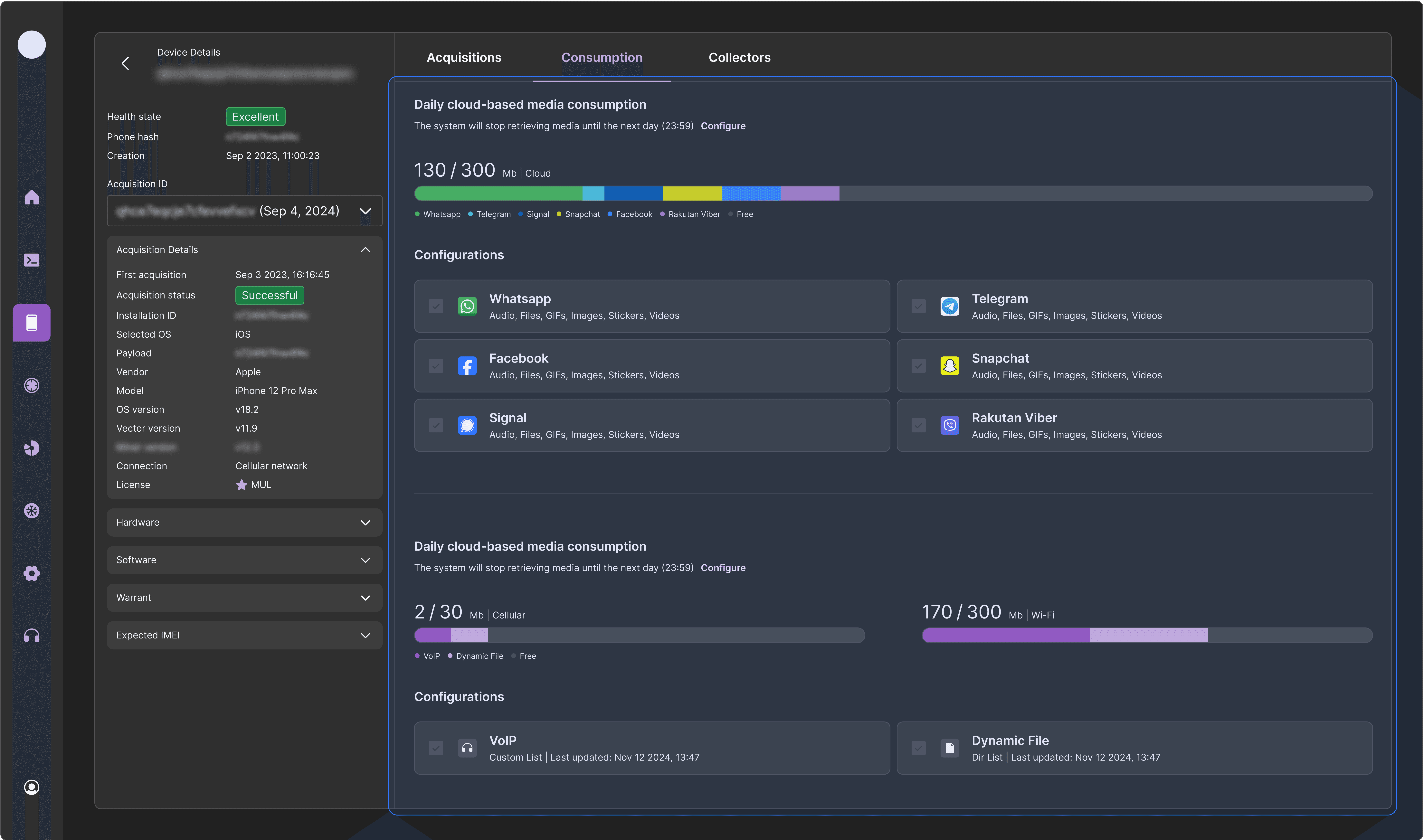
Deep view — Consumption tab
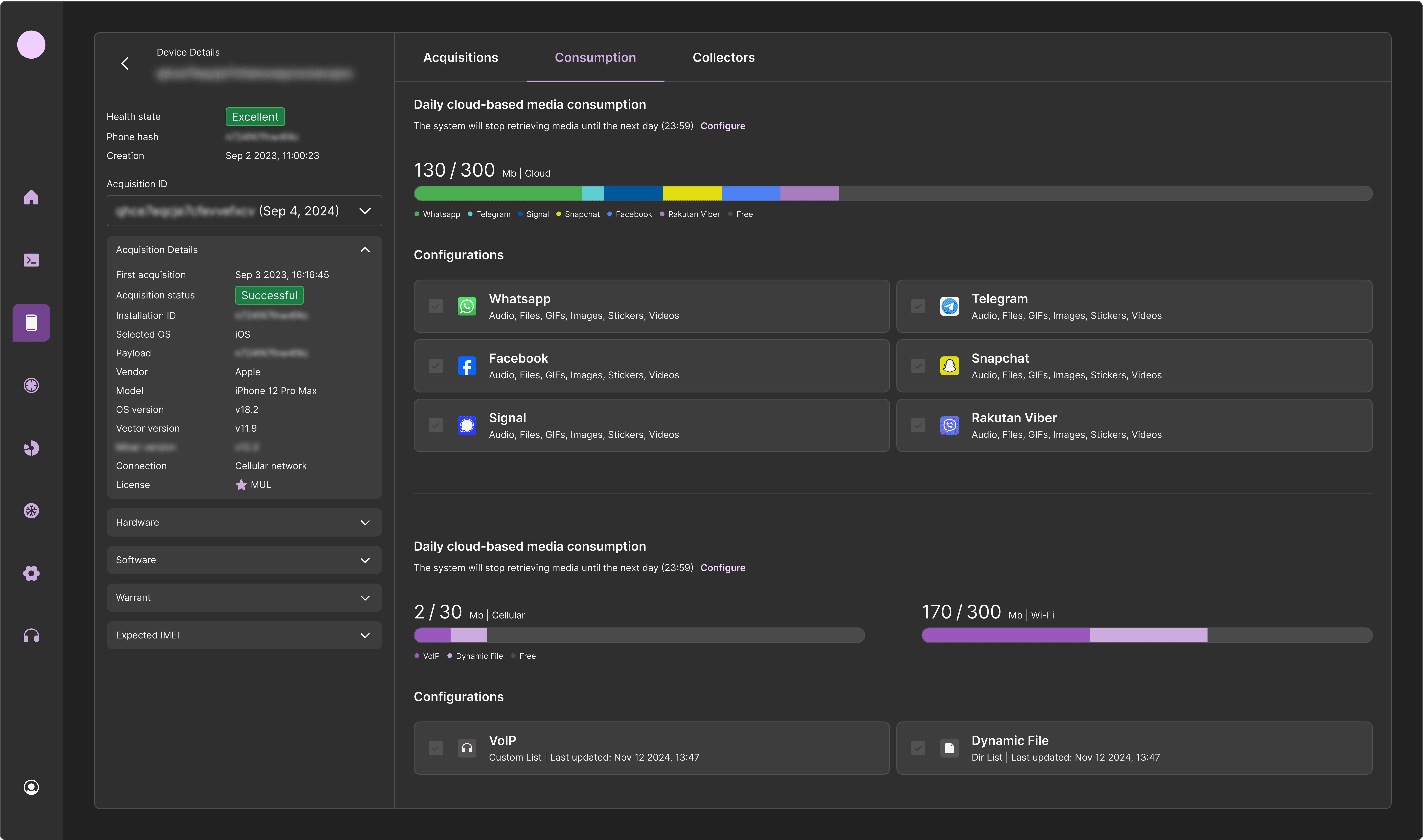
The consumption tab present the real-time configurations user can configure post acquisition,
and their daily consumption according to the allowed daily quotas.
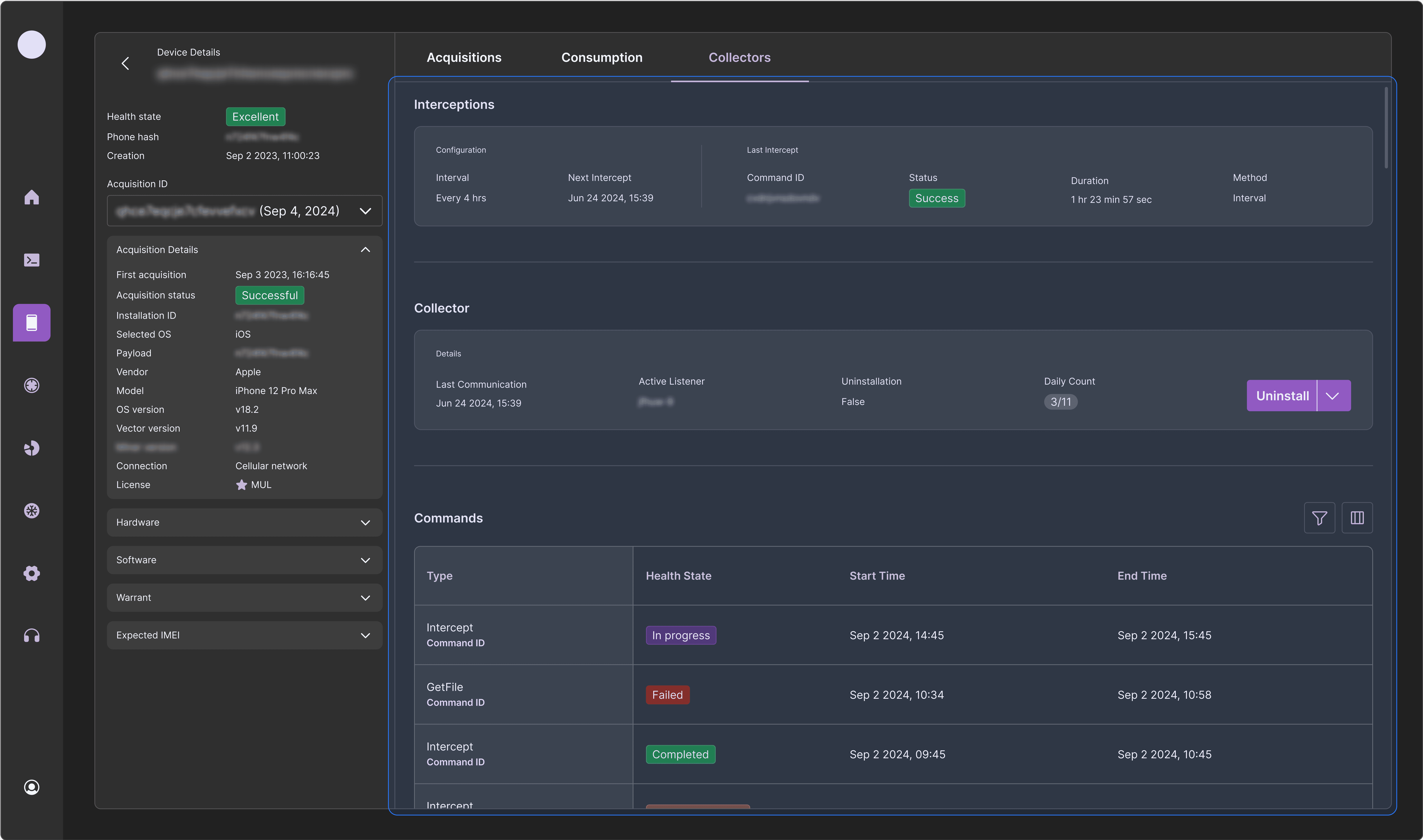
Deep view — Collectors tab
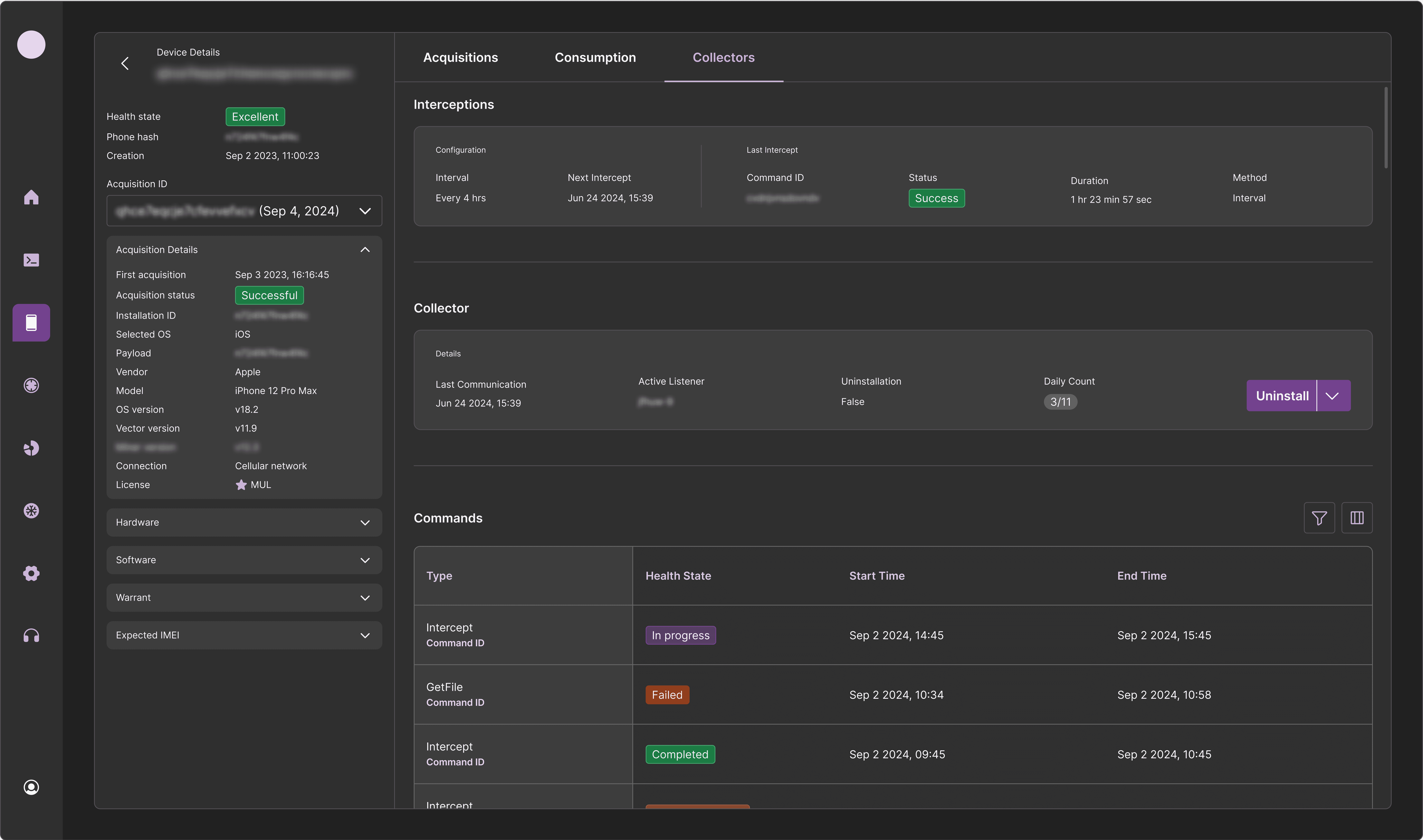
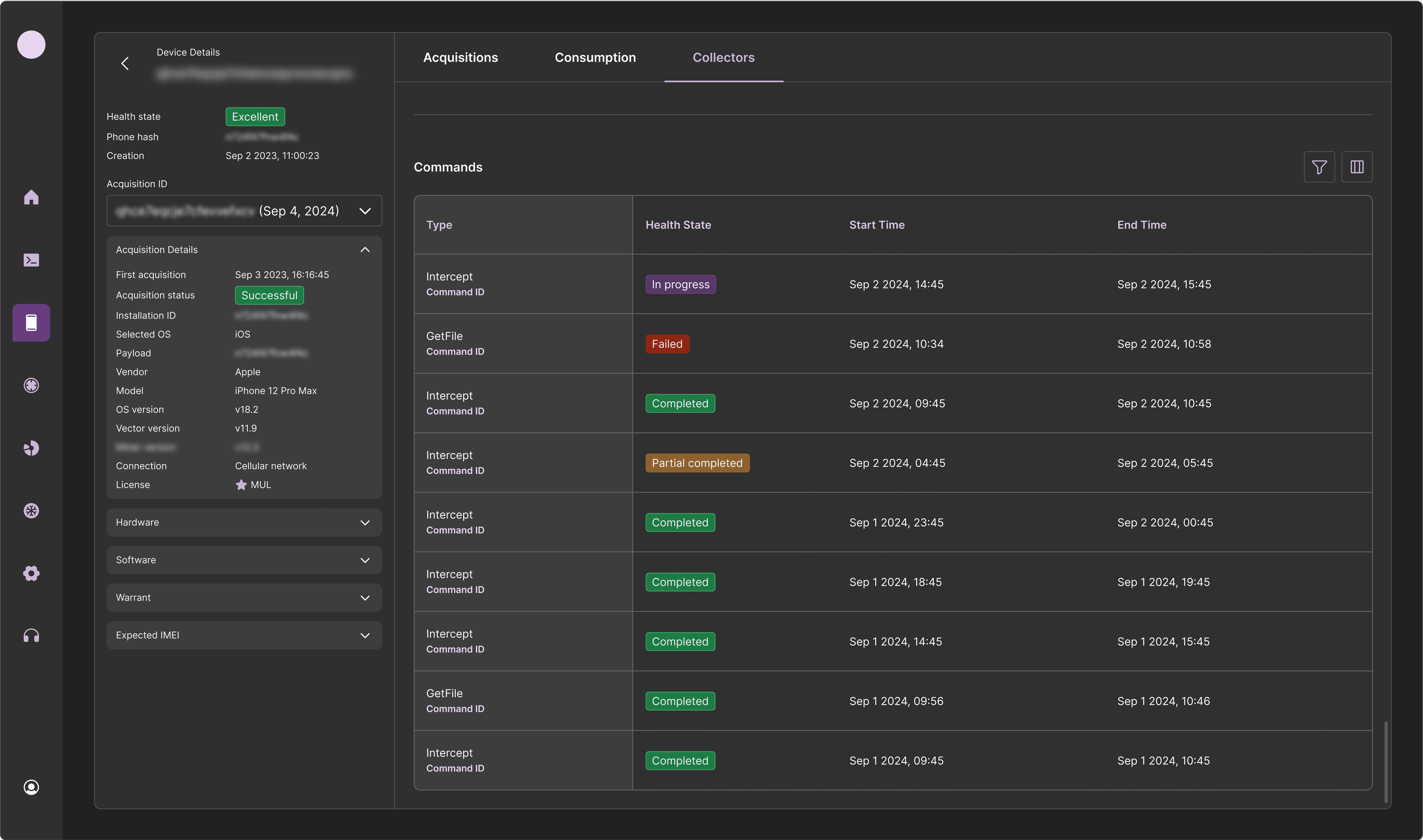
This tab is the most technical one, means the information here is about which technical component collected which media, their statuses, issues, and here the support has some actions they can perform.
For the four actions, I used split button component which the most important one located outside and the three others inside it.
Collectors hierarchy
Each collector has possible three commands it can performs.
For now, our technology can provide only one collector each device and run single command at a time but it was important for me to provide a scalable solution for the time when multiple collectors and commands be available.
Anchors of orientation
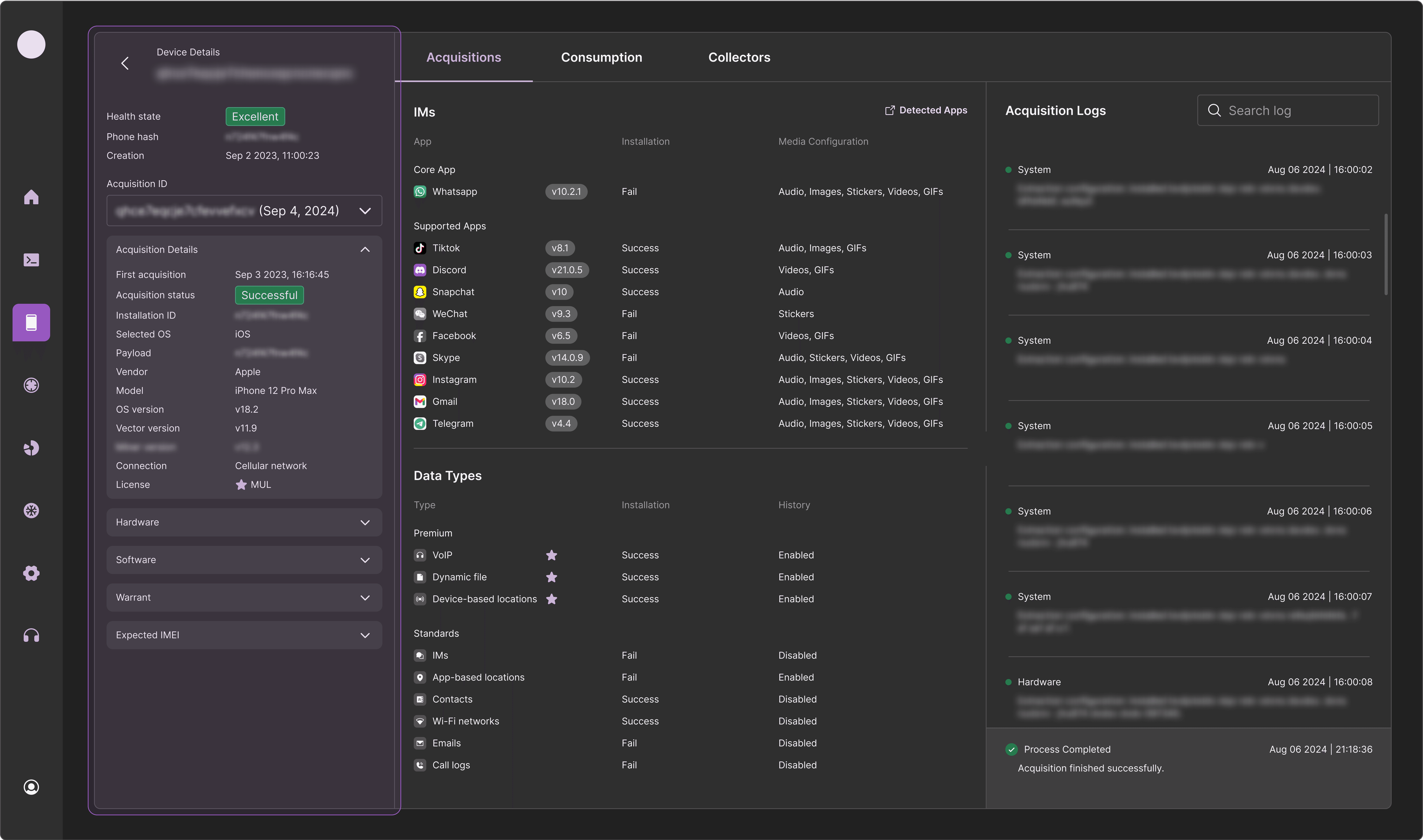
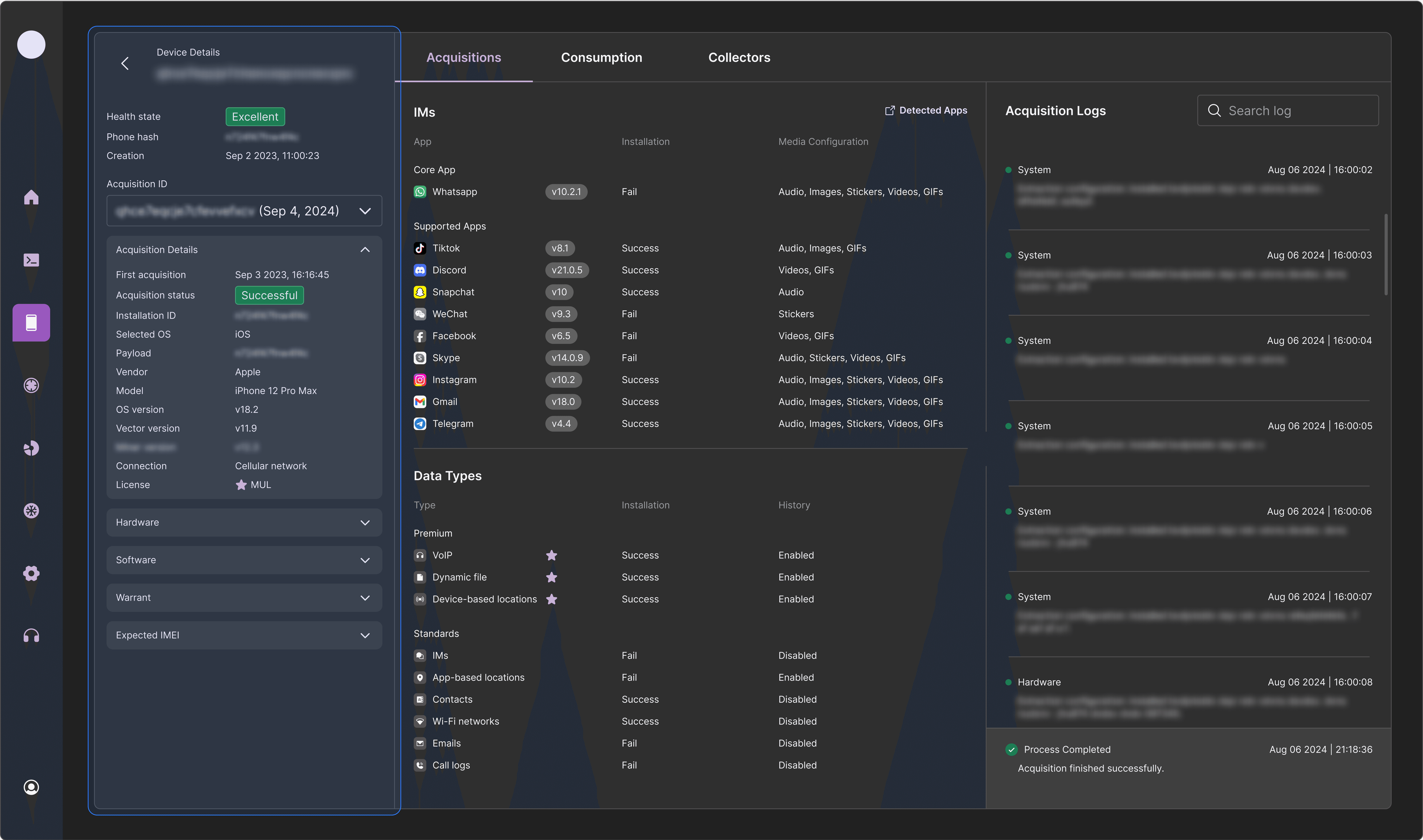
Anchor of general information
As we have two depths of information consumption, support users should know that when they are diving into more explicit information, the initial ones don't disappears.
That's why I decided to concentrate the table into collapsable section within a static panel next to the rest of the information to complete the investigation.

Anchor of navigation
In order to keep the navigation pattern the same, I decided to remain the tabs in both the initial view and the deeper view.
Anchor of content
As these frames are loaded with information that might appears too much, I decided to design it like a dashboard that each data in the same context has its own location.
Start of with the big division, the static general info section and the dynamic content, inside the dynamic content I decided to sub divide for better consumption.

To wrap things up, this flow designed for both simple and advanced investigations by the stakeholders.
We've performing ongoing usability tests and the results keep proving our solution is accurate and simple to use.
