Designing AI Automation That Scales Beyond IT
What if building an automation felt less like coding; and more like asking?
“When a new employee joins, set them up and notify IT.” Done!
AI turns intent into action.
Non-technical teams move fast.
And the IT? Them stop being the bottleneck.

Stakeholders
As ESM (Enterprise Service Management) product company, our stakeholders divide into two categories.
Technical Teams
Technical implementation teams and IT departments—expert users who know the system inside out and focus on speed, control, and scaling automation across the organization.
Non-Technical Teams
They don’t think in automation rules or terminology.
They think in tasks that need to get done, and expect the experience to be simple, guided, and stress-free. For them, automation should feel intuitive, not technical.
Challenge
The challenge was enabling automation at scale
How do we fix it?
By reducing technical complexity; with AI and natural language.
While supporting both technical and non-technical teams.
Business Impact
Automation demand was rising, but users struggled to build it independently. This drove more reliance on Professional Services, increased frustration, and a higher churn.
At the same time, SysAid saw a strategic opportunity to lead ITSM and ESM by embedding AI directly into automation.
Allowing for a reduced operational load while positioning the platform as an AI innovation leader, recognized by Gartner.
KPIs and measurements
We didn’t rely on gut feeling. We defined clear KPIs to understand whether the experience truly worked—for users and for the business.
Discoverability – Do users find automation themselves, or do they still turn to Professional Services?
Activation – Do users reach real value with their first automation?
Adoption – Does automation become a habit, not a one-time experiment?
AI Trust – Do users trust the AI’s suggestions and outputs enough to move forward?
Churn Signals – When do users get stuck, frustrated, or give up?
If these improved, we knew we were on the right path.
Discoverability
Feature discovery rate: % of total active users who click into the AI automation setup page.
Activation
Automation Success Rate: The amount of time from setting up the first automation, until it's completed successfully.
Adoption
New automations rate: The average amount of new automations created within a month.
AI
Human-in-the-Loop (HITL) Override Rate: % of AI outputs that a human user manually edits or rejects. (Lower is better).
Churn
Churn rate: % of total active users who start setting up an automation, then clicked on "Cancel" without saving it.
Old solution logic
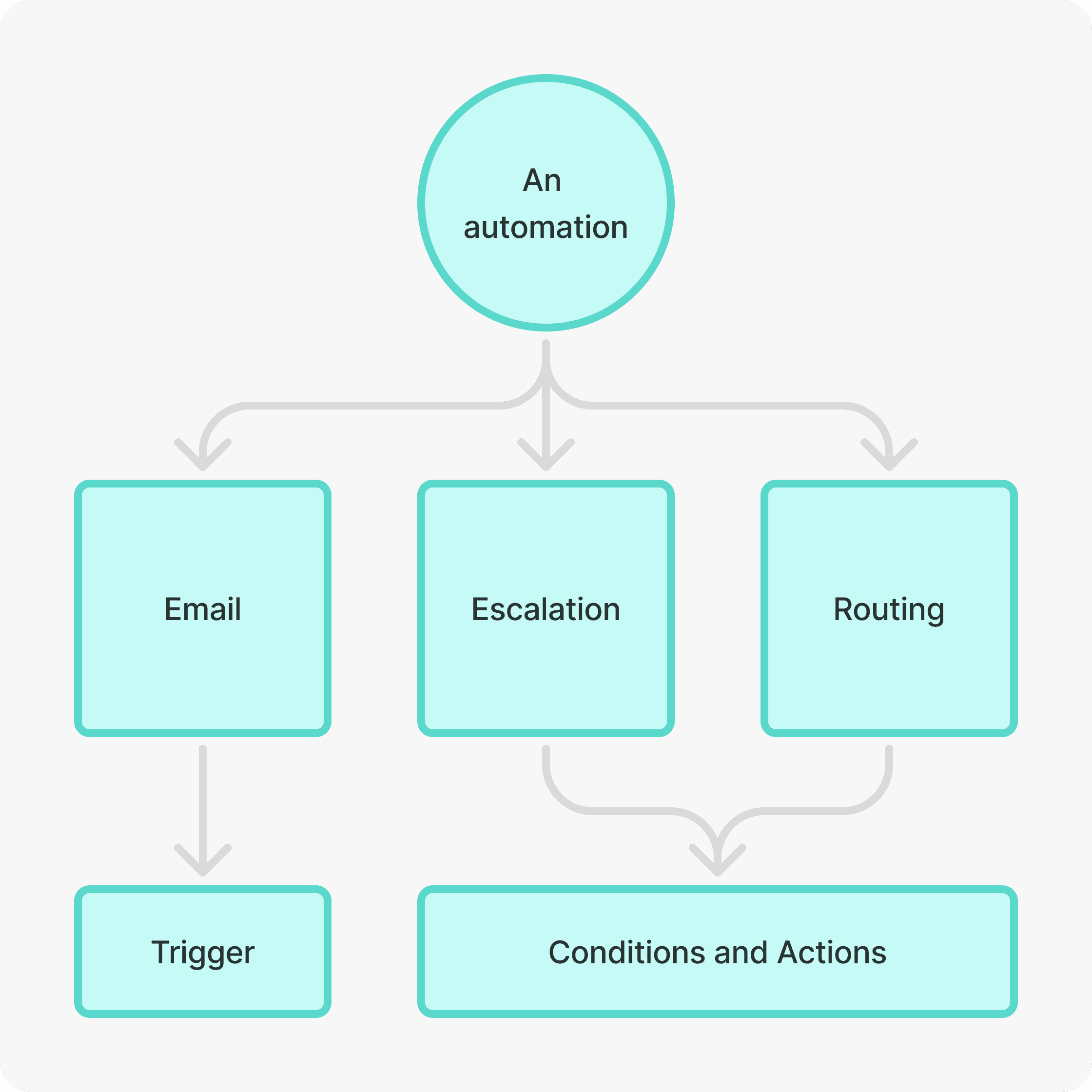
One automation is built from three different rules: Email, escalation, and routing.
Today's way to create an automation is by creating three different rules in three different pages, prioritize the escalation and routing rules within their pages, then it "should" work. Too technical, bad and unclear experience.
Fragmented Control Tower (Hard to Grasp)
Users struggled to create automation flow across the various pages - too technical, confusing, and not optimized for a unified workflow.


Legacy Form - Too Technical
The old input-heavy form created friction and high churn.


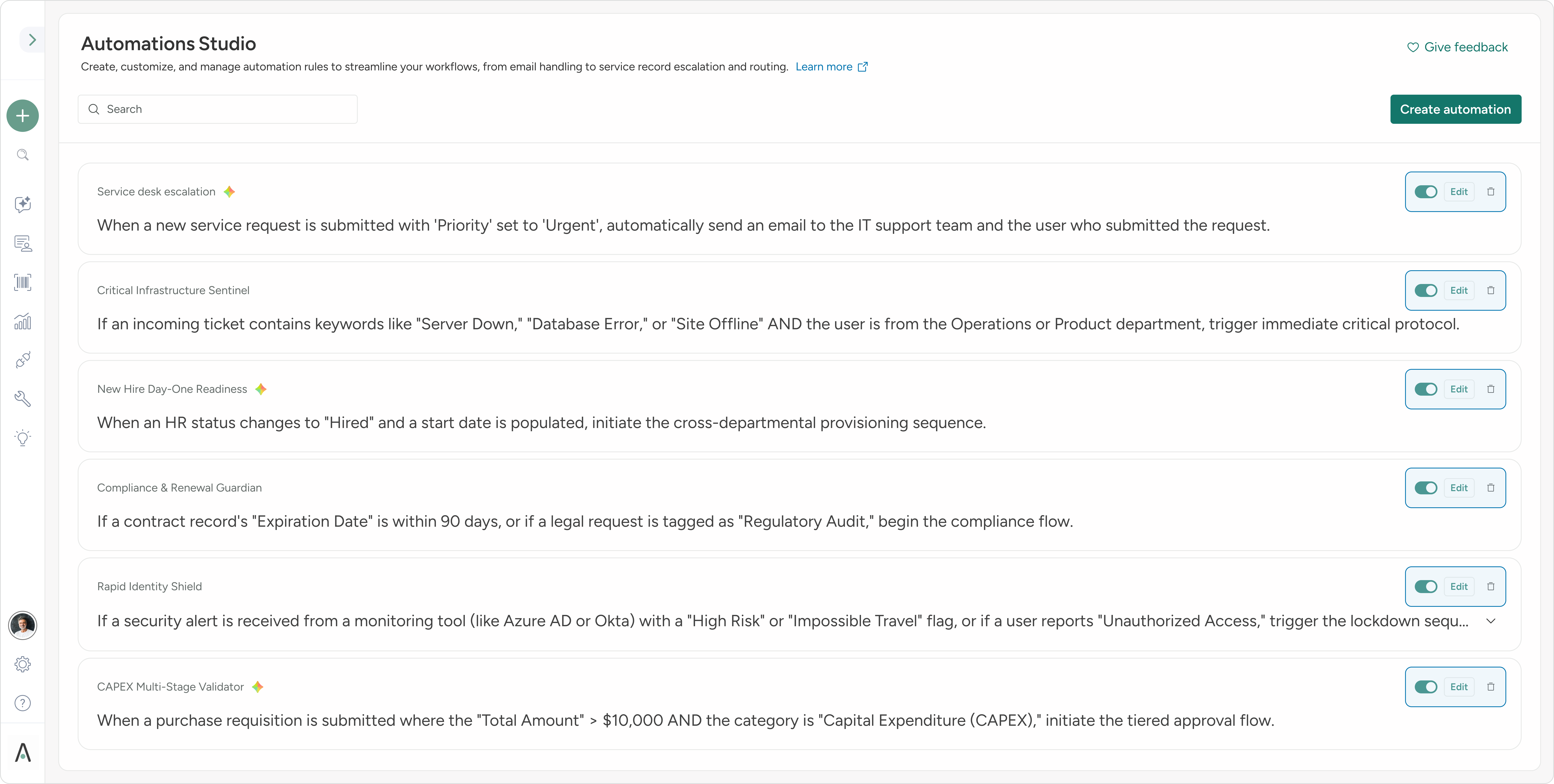
Introducing Unified Control Tower - One View, More Clarity
A single dashboard showing all automation at a glance - simplicity and increasing operational confidence.

One Automation, One Experience
Consolidated views replace scattered tables - creating coherence and clarity across triggers, conditions, and actions.
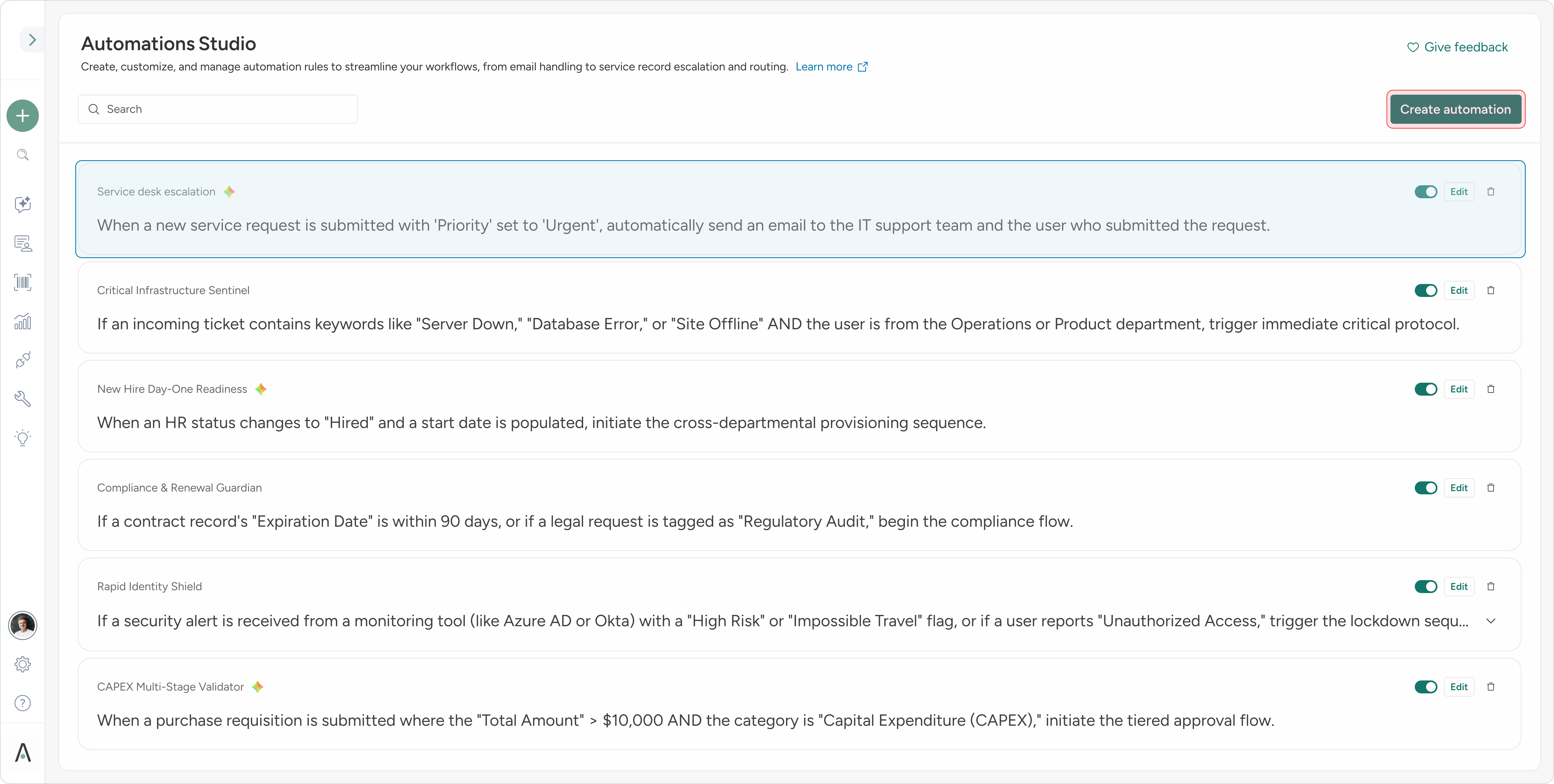
AI First
AI is visible, trusted, and contextual - making automations made by AI instantly recognizable.

Rule-Centric Experience for Faster Decisions
AI summaries elevate key automation insights, reducing interpretation effort and accelerating decision-making.
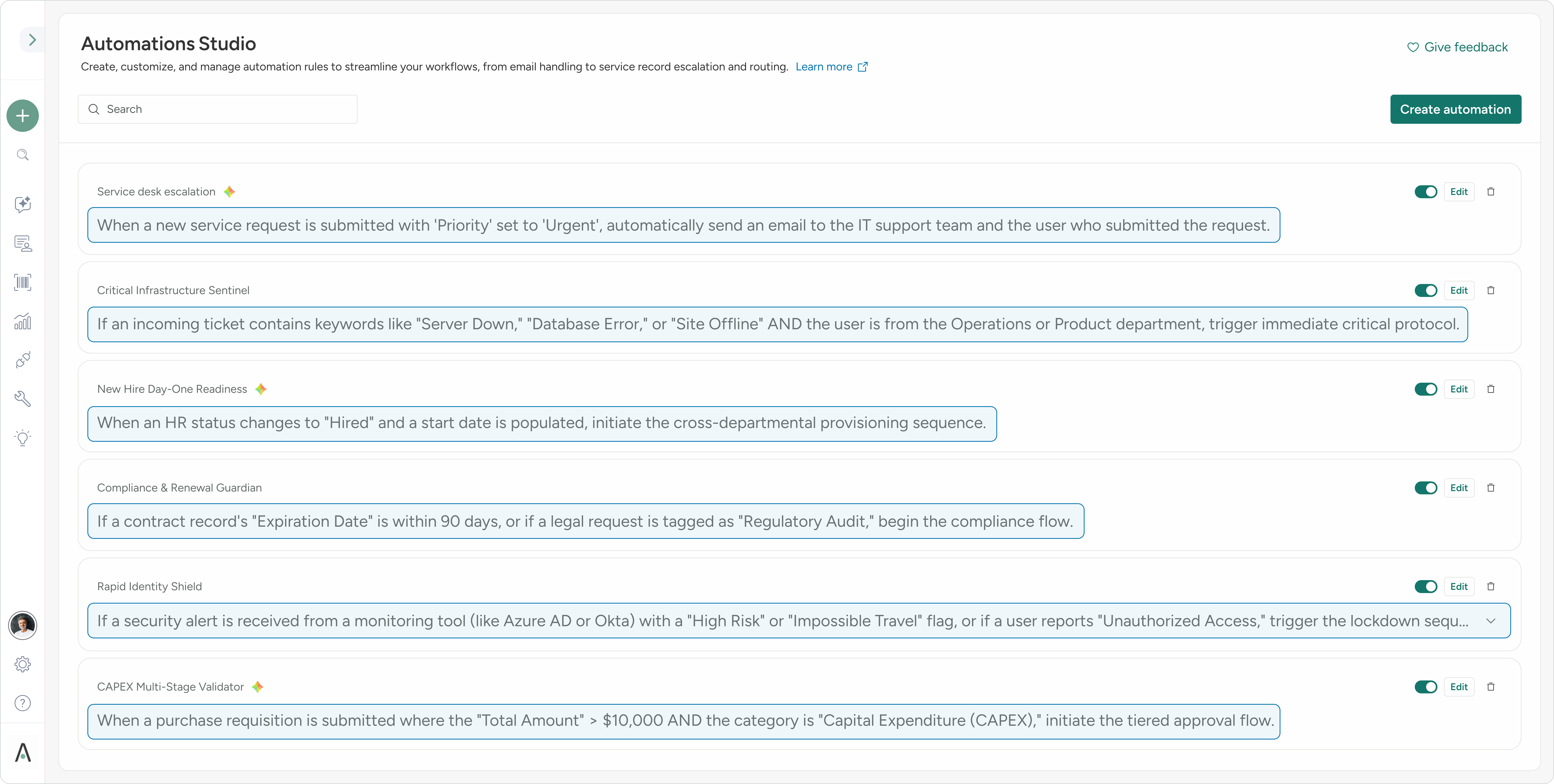
Adaptive, Scannable List View
Turning tables into a simplified list - improves clarity and ease.
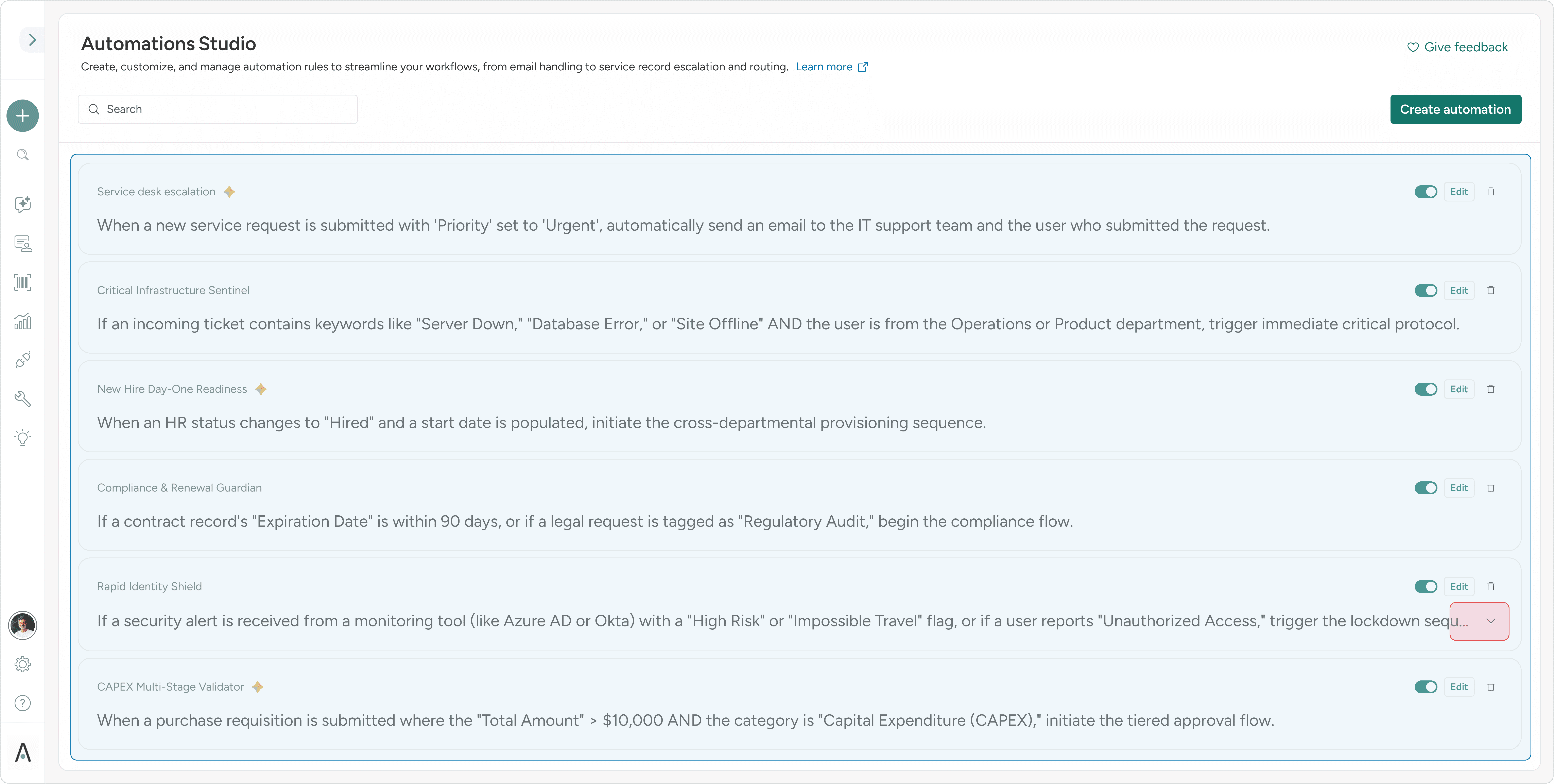
Simple Controls, Clear Actions
Easy toggles and editing tools make managing automations intuitive and efficient for all users.
Introducing Automation Designer
A more intuitive workspace that feels creative and approachable - built for real users.
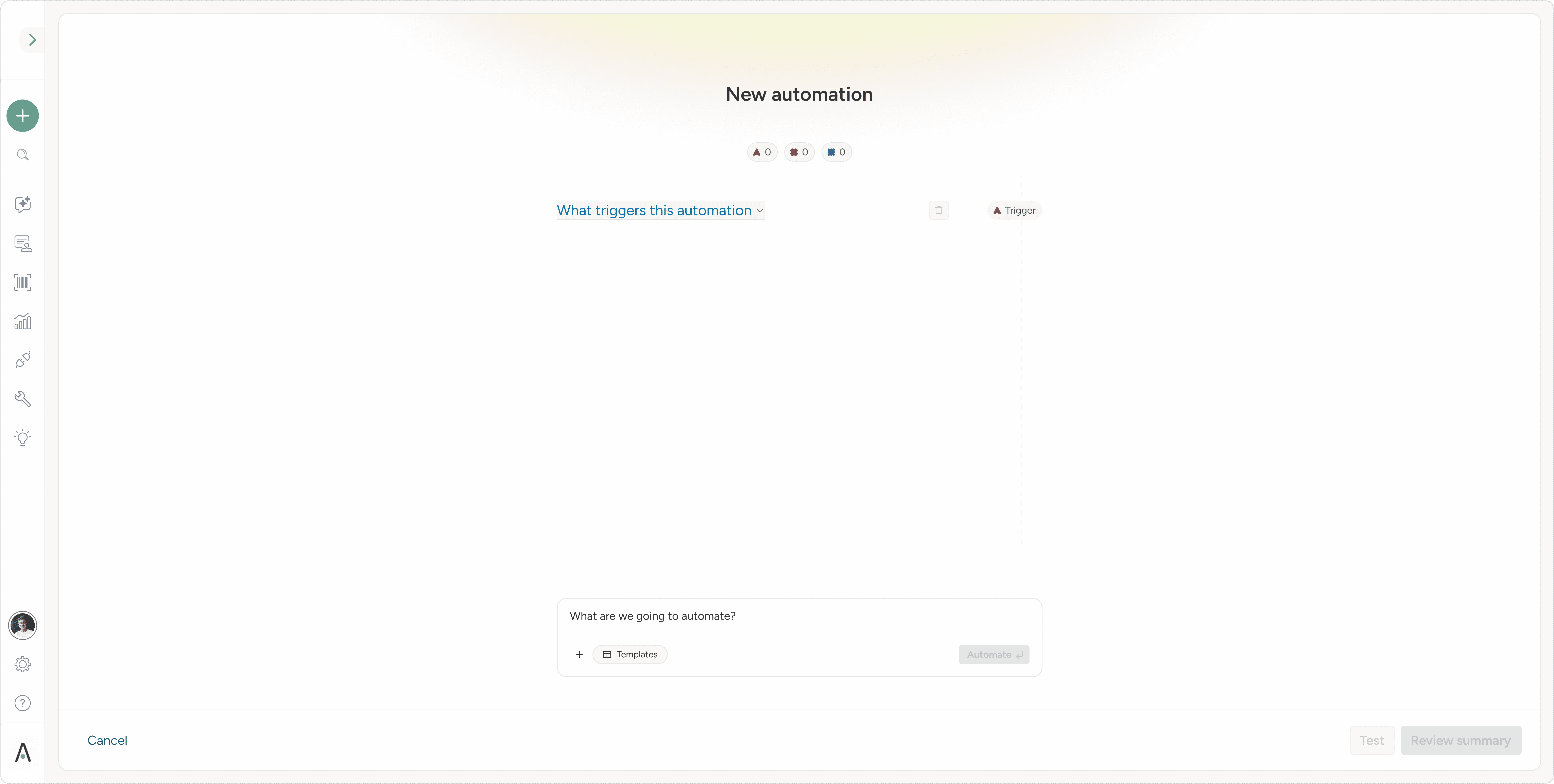
Product-Led Growth by Design
Smart defaults, clear calls to action, and easy exits encourage self-serve success.
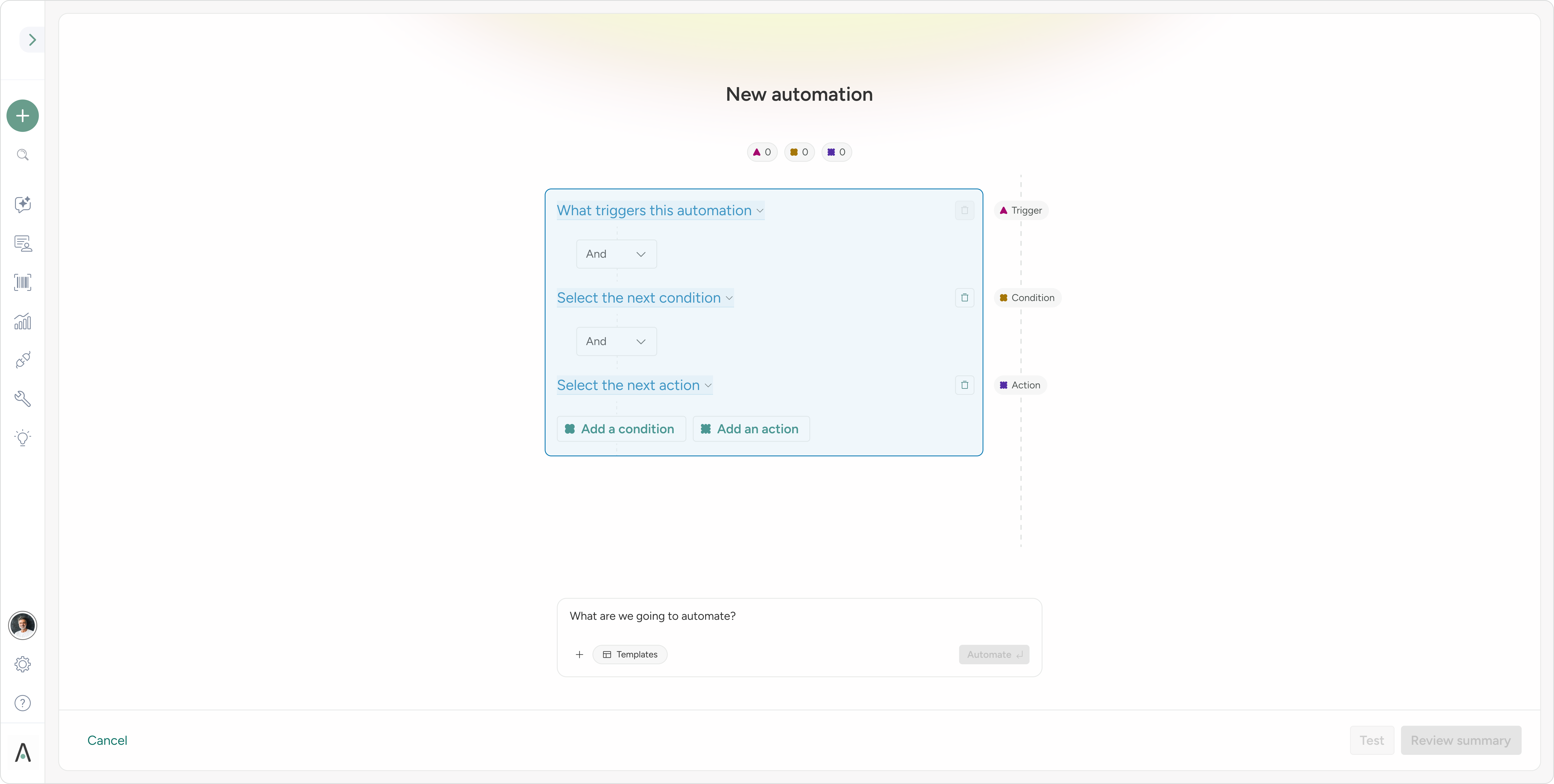
AI That Empowers, Not Interrupts
AI blended with manual controls - so all users stay confident and in control.

Prebuilt Templates to Reduce Learning Curve
Templates act as ready-to-use prompts that accelerate onboarding and reduce hesitation.

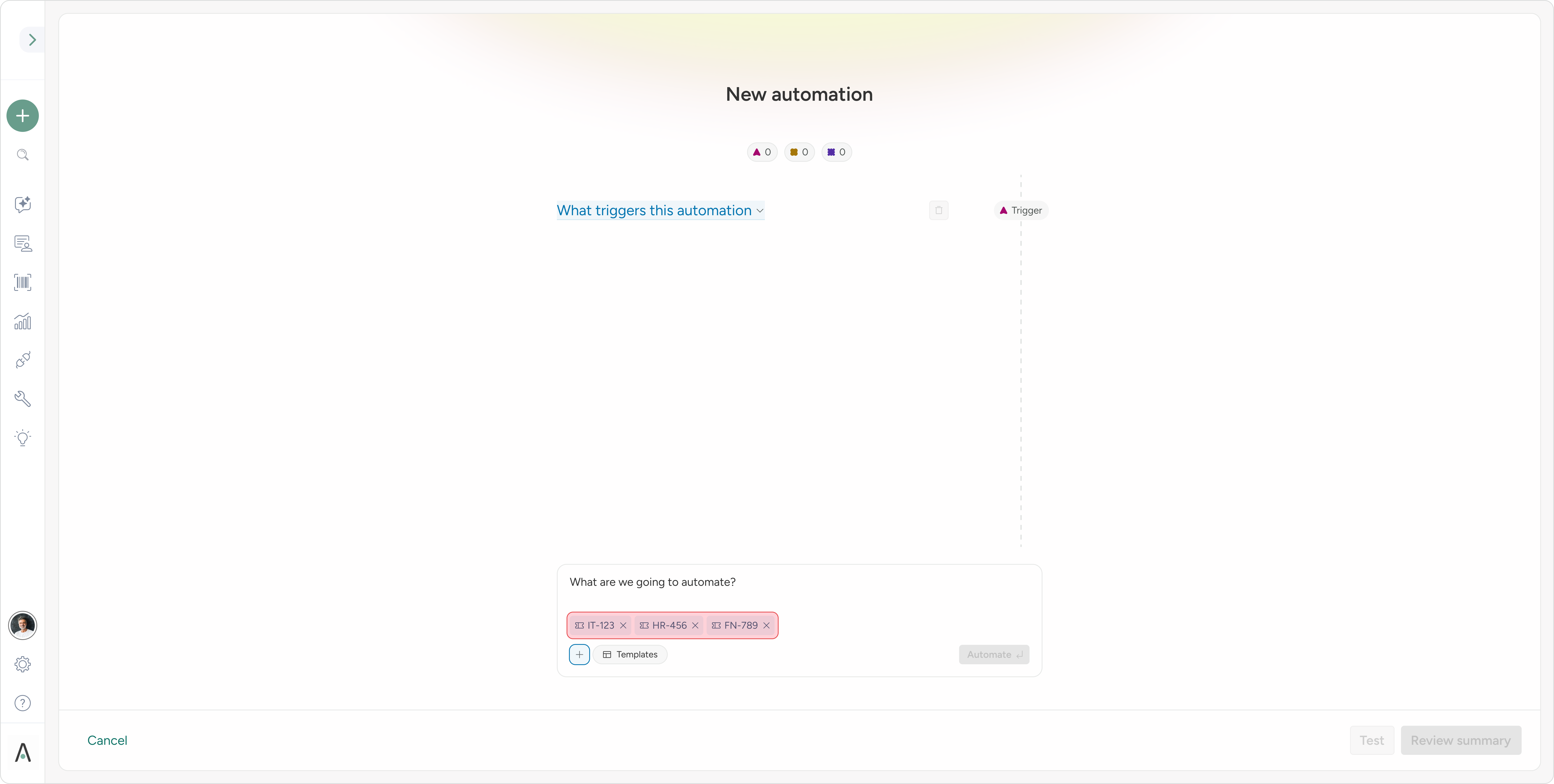
Contextual References for Precision
Add real ticket references to improve AI relevance and automation accuracy.
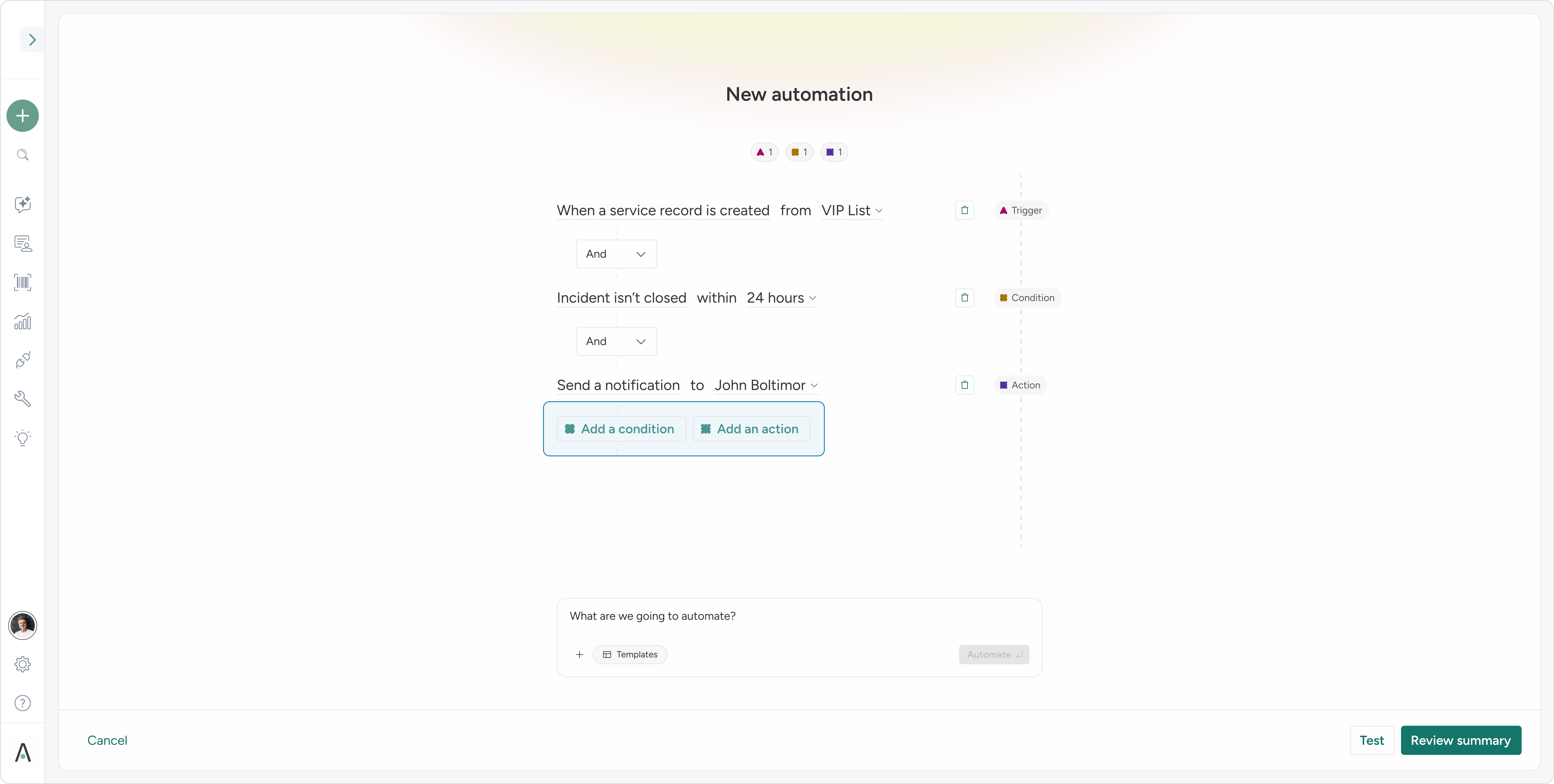
Guided Navigation for Complex Flows
Persistent guides help users track logic and structure as workflows grow.
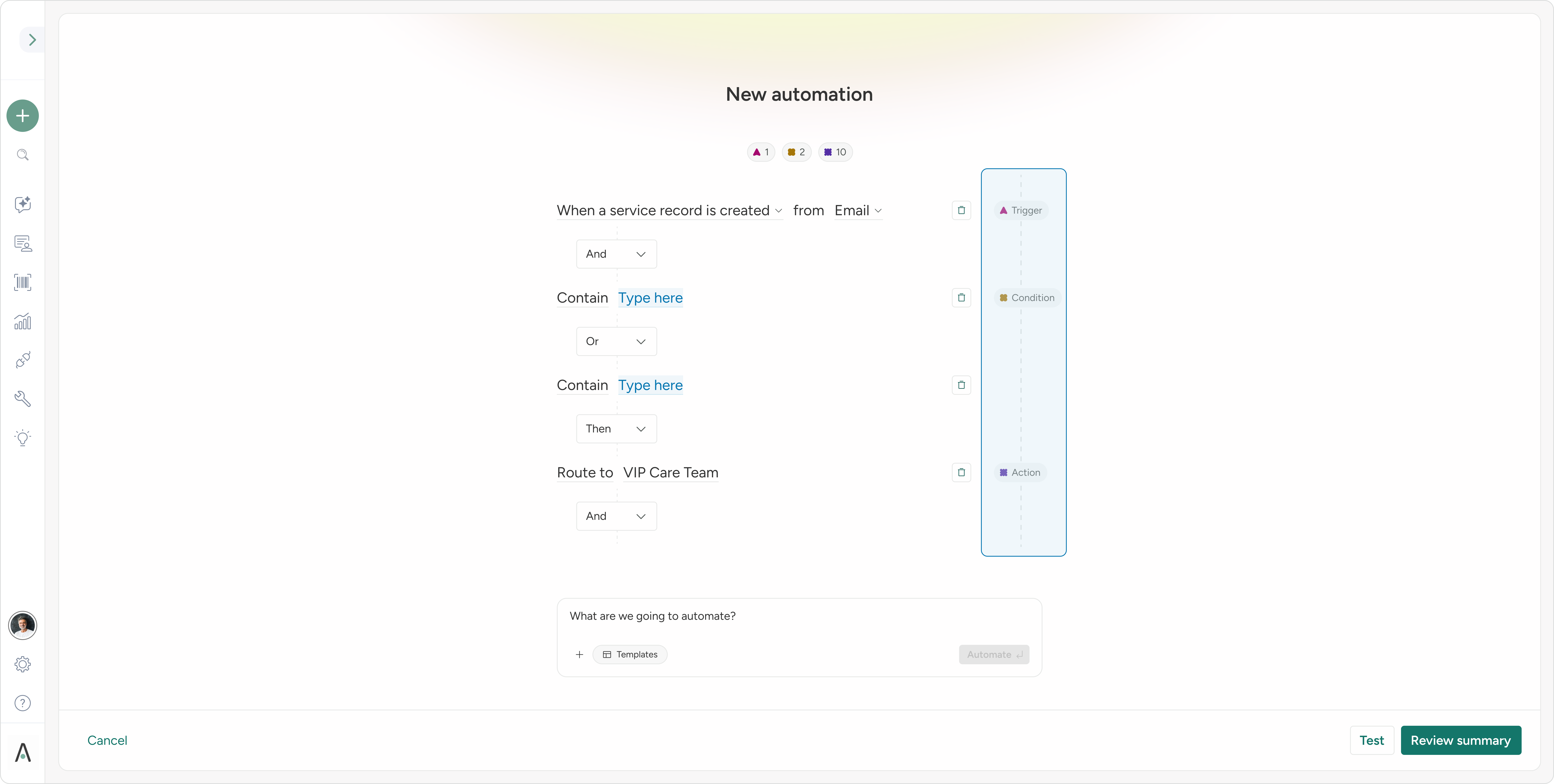
Event Badges That Drive Action
Visual badges reduce cognitive load by showing progress and required steps, at a glance.
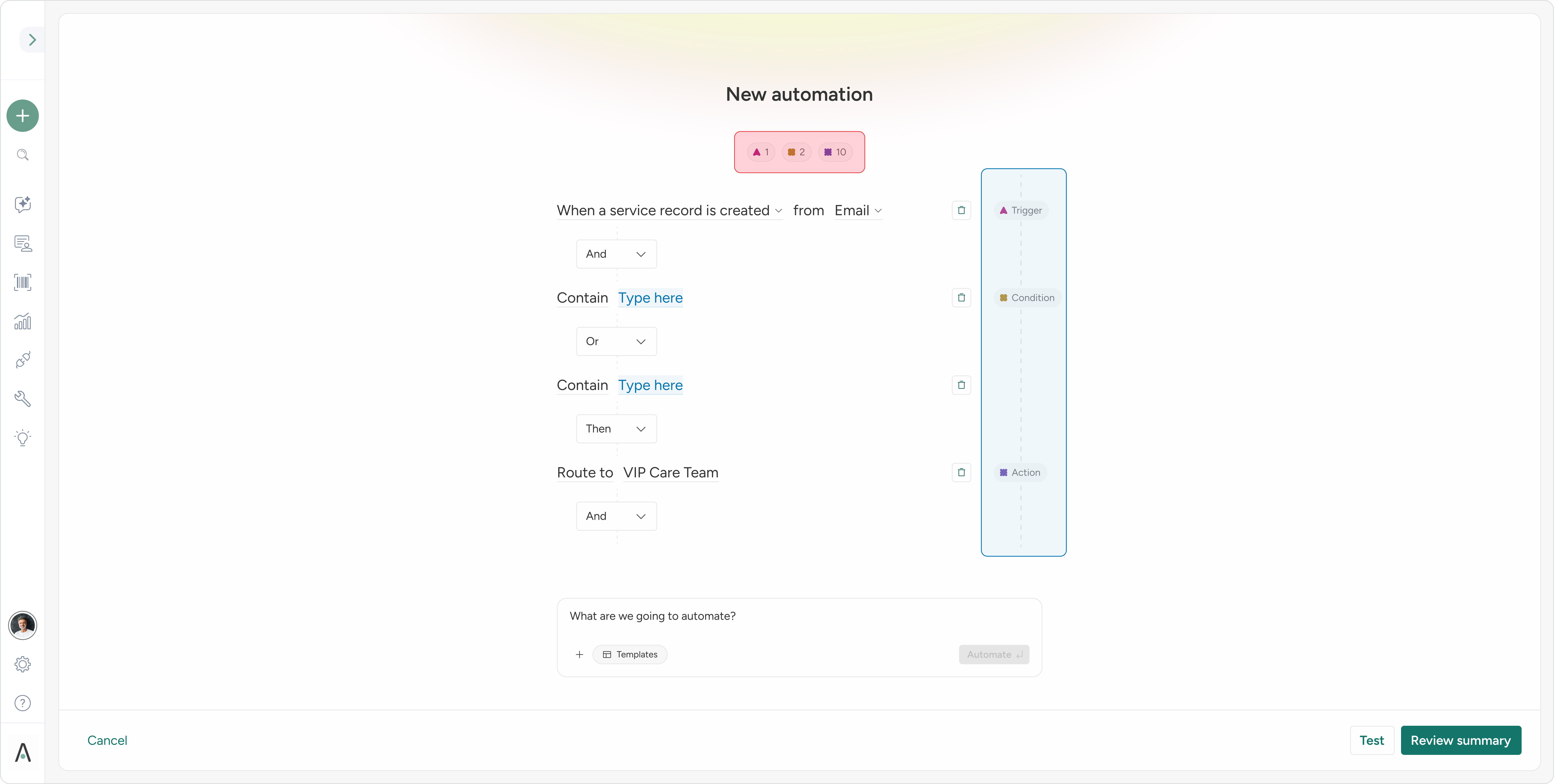
Lowering Cognitive Load, Increasing Speed
Clear decision junctions and flexible interactions reduce thinking time and increase efficiency.
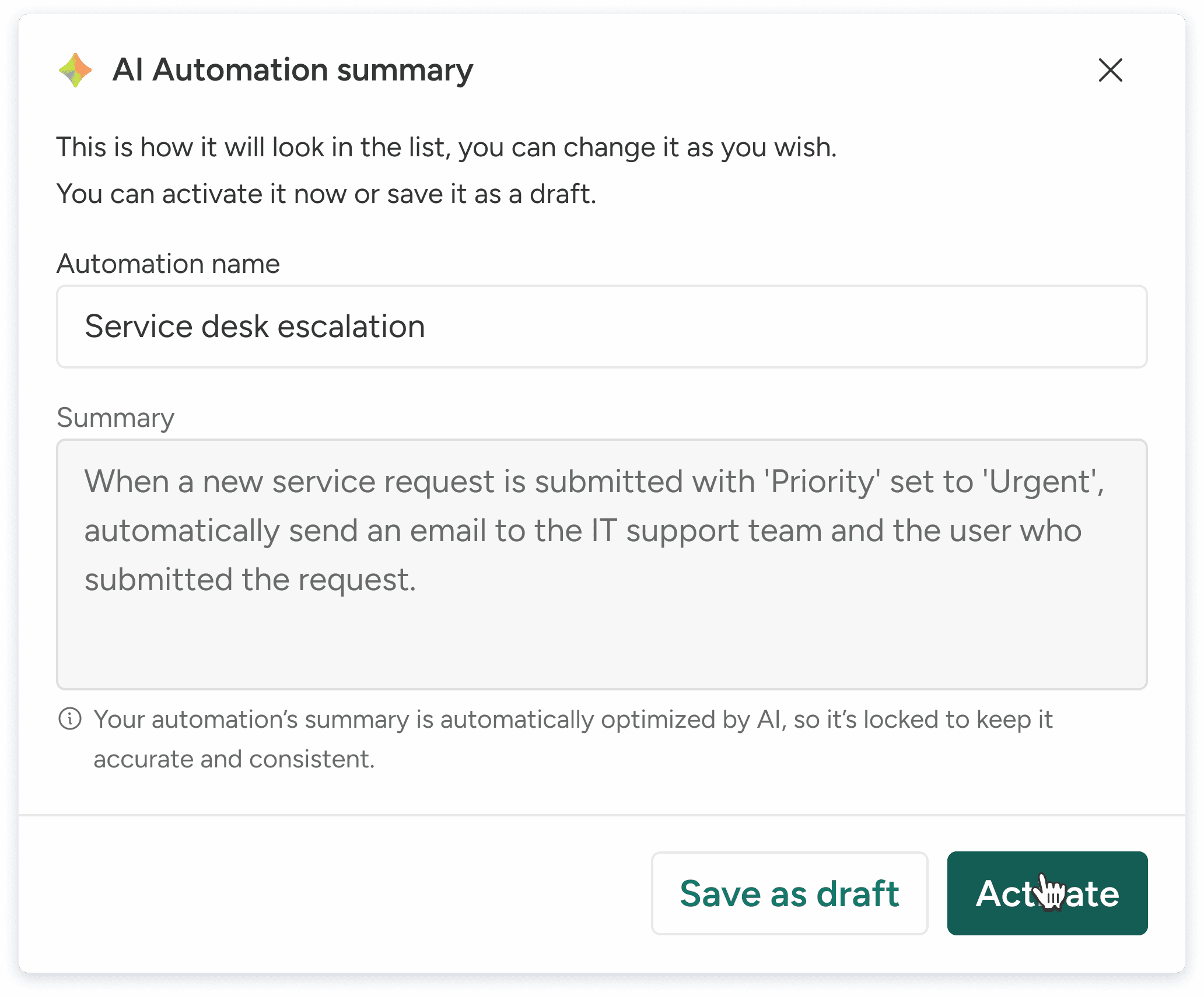
AI-Assisted Wrap-Up & Summary
AI summarizes complex automations and suggests names - so users finish faster and save confidently.
Phase 2 - Future Steps
In phase 2, we are focusing on the management experience with abilities like:
Auditing - auditing the tests and the automation with real call-to-action approaches.
Custom Indexing - providing users with an ability to add custom badges to each automation and filter them.
Grouping & Prioritizations - users will be able to group automations together for better context and prioritization.
Want to see more?